


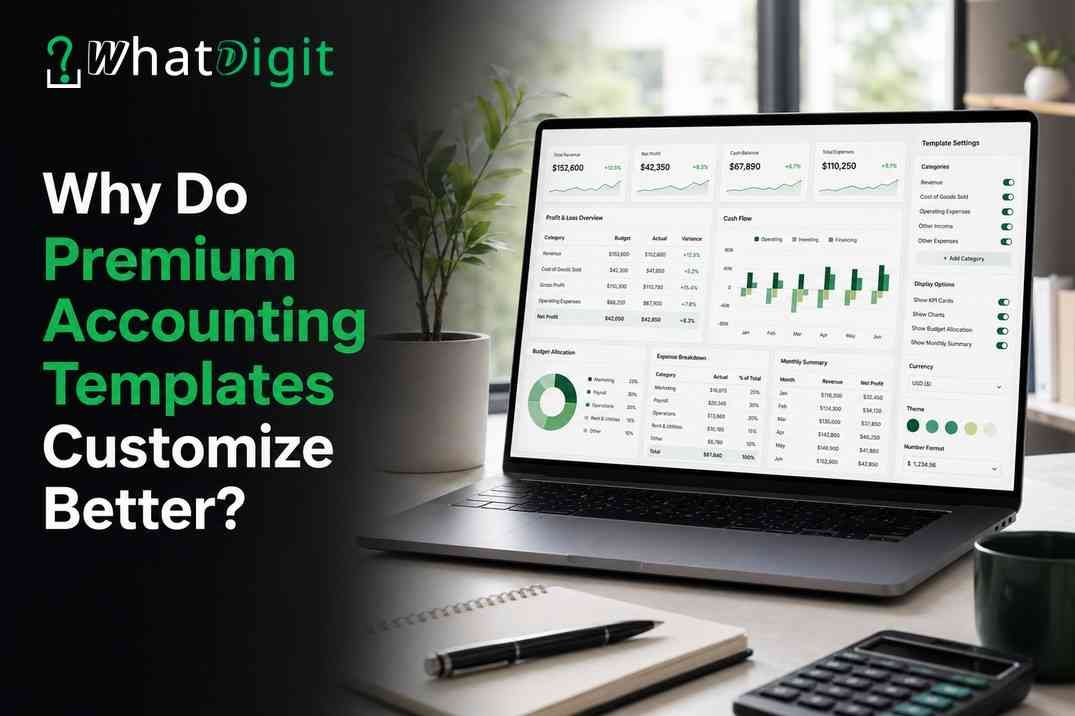
Premium accounting templates usually offer better customization because their structured design separates editable business inputs from protected calculations and reports. Users can adjust account categories, reporting periods, tax fields, dashboards, currencies, and transaction workflows without rebuilding the entire workbook. That flexibility creates value when a free spreadsheet cannot reflect how a business earns, spends, bills, or reviews financial performance. However, customization requires careful setup, formula protection, backups, and clear ownership. Companies with high transaction volumes, complex compliance duties, or large teams may need dedicated accounting software instead.
What Does Customization Mean in an Accounting Template?
Customization means adapting a workbook to match a business’s financial structure while preserving accurate data flow. Useful changes affect inputs, classifications, calculations, summaries, and presentation rather than colors alone.
Structural and Operational Changes
An accounting spreadsheet normally connects transaction records with an expense tracker, income statement, cash-flow report, or financial dashboard. A customizable design lets users rename account categories, add departments, define reporting dates, and select relevant performance indicators. Those adjustments align the workbook with actual bookkeeping records.
Customization Has Boundaries
Not every editable cell represents safe flexibility. Users should change labeled input fields, lists, assumptions, and settings while protecting formulas, named ranges, and report connections. A strong template makes those boundaries visible through instructions, formatting, validation, and sheet protection.
Why Do Premium Templates Provide Greater Flexibility?
Premium templates generally include planned configuration areas, connected reports, and documentation that free files often omit. Their value comes from reusable structure, not merely additional tabs or decorative formatting.
Free Files Usually Target a Generic Need
Many free templates solve one narrow task, such as listing expenses or creating a monthly budget. Their formulas may assume fixed categories, calendar-year reporting, one currency, or a single income source. Changing those assumptions can require manual formula edits across several sheets.
Premium Design Supports Controlled Configuration
Well-designed paid templates centralize settings. Users can edit a chart of accounts, fiscal-year start, tax labels, currency symbol, departments, projects, and payment methods from designated areas. Connected dropdown menus and formulas then apply those choices throughout the workbook.
People seeking to buy accounting excel templates online in USA should examine configuration options, formula transparency, documentation, and Excel compatibility before judging visual appearance. A flexible workbook should explain what users can change safely and which modifications require advanced spreadsheet knowledge.
Which Customization Features Create Business Value?
The most valuable features connect a specific accounting need with a clearer record, faster process, or more useful report. Buyers should favor relevant flexibility over an unnecessarily large feature count.
Editable Account Categories
Account categories organize income, expenses, assets, liabilities, and owner-related transactions. Premium templates often provide a configurable account list that feeds transaction dropdowns and financial summaries. Therefore, users can reflect their business model without typing category names repeatedly.
Useful category controls include:
Custom income classifications for services, products, retainers, fees, or other revenue.
Expense groups that match operating, administrative, marketing, occupancy, and direct costs.
Subcategories that provide detail without overcrowding primary reports.
Active and inactive status fields that preserve historical records.
Unique account codes that prevent confusion between similar names.
Flexible Dates, Tax Fields, and Currencies
Businesses do not all use the same fiscal year or reporting frequency. A customizable workbook may support monthly, quarterly, annual, or user-selected date ranges. Moreover, date controls can feed income statements, expense summaries, and cash-flow forecasts without duplicating files for every period.
Editable tax fields can record relevant rates, tax types, or transaction treatment. Nevertheless, a template cannot determine the correct tax position for every business. Users must configure fields according to applicable requirements and confirm calculations independently.
Invoices, Payments, and Transaction Fields
Premium workbooks may let users configure invoice numbering, payment terms, customer fields, due-date rules, and payment statuses. These options connect billing activity with receivable tracking and cash planning. Freelancers and consultants may also add project codes, engagement types, or billable-expense fields.
How Does Customization Support Different Business Models?
Custom fields and reporting dimensions let one accounting template serve businesses with different revenue patterns, cost structures, and management responsibilities. The workbook must remain simple enough for consistent use.
Client, Project, and Department Tracking
Service businesses often need profitability views by client or project. A configurable bookkeeping template can add identifiers to each transaction and use filters or formulas to summarize revenue, direct costs, and expenses. Those reports help managers compare assignments without maintaining separate files.
How Can Users Adapt Reports and Dashboards?
Adaptable reports convert correctly classified transactions into views that match management decisions. Premium templates often provide filters, period selectors, category controls, and adjustable performance indicators.
Income Statements and Cash-Flow Views
An editable income statement may let users map accounts to revenue, direct cost, and operating expense sections. That mapping matters because different businesses organize performance differently. Subtotals should update automatically when users activate, retire, or reassign accounts.
Financial Dashboards and Indicators
A financial dashboard should highlight decisions rather than display every available number. Buyers may want to choose indicators such as revenue, expenses, operating result, receivables, cash balance, budget variance, or client concentration. Adjustable date filters can compare months, quarters, or fiscal periods.
Useful dashboard customization may include:
Selectable periods and comparison dates.
Category, project, department, client, or location filters.
User-defined targets and variance thresholds.
Configurable charts linked to validated data.
Clear definitions for every displayed indicator.
Visual changes must preserve source connections. If users replace charts or extend ranges, they should test totals against underlying reports before relying on the revised dashboard.
How Do Formulas, Automation, and Data Controls Help?
Formulas and controls create value when they reduce repeated work while keeping calculations traceable. Effective automation supports bookkeeping discipline rather than hiding how figures move through the workbook.
Custom Calculations and Repetitive Tasks
Premium templates may calculate totals, tax amounts, aging, budget variances, invoice balances, cash projections, and selected performance indicators. Configuration cells can hold rates, thresholds, dates, and assumptions so users avoid editing formulas directly.
Automation can also populate reports from transaction logs, flag overdue invoices, classify recurring entries, or update dropdown lists. However, users should know what triggers each calculation. Macros and external connections may add capability, yet they also create compatibility, security, and maintenance concerns.
Validation and Error Controls
Data validation limits entries to approved categories, dates, payment methods, clients, or departments. Dropdown menus reduce spelling variations that would otherwise split one category across several report lines. Required-field checks and duplicate warnings can catch common omissions before they affect summaries.
Error controls worth seeking include:
Warnings for missing account codes or unsupported dates.
Checks that total debits and credits balance when double-entry features apply.
Flags for duplicate invoice or transaction identifiers.
Protected formulas and clearly colored input cells.
Reconciliation fields for bank, cash, or payment-account review.
Controls reduce preventable errors, but they cannot validate the economic substance of a transaction. Human review remains necessary.
Free Accounting Template or Premium Template?
A free template works best for simple, temporary, or low-risk tracking. A premium template becomes more attractive when users need configurable categories, connected reports, validation, automation, and reliable setup instructions.
Where Free Templates Work Well
Freelancers with few monthly transactions may only need a basic income and expense tracker. A free workbook can also help a new business define its recordkeeping needs before investing in a larger system. Fewer formulas may make a simple sheet easier to inspect and maintain.
However, free files often rely on fixed rows, hard-coded categories, or manual report preparation. Users who keep adding tabs and copied formulas may create a fragile system. At that point, a structured premium workbook can reduce recurring rework.
What a Premium Option Should Add
A paid template should offer more than attractive formatting. It should provide meaningful configuration, connected financial reporting, data controls, documentation, and stated compatibility. Buyers should be able to identify how each added feature improves an existing workflow.
Premium status does not guarantee quality. Some paid workbooks lock essential areas, conceal formulas, or include features that users cannot remove safely. Screenshots, sample instructions, field lists, and technical requirements can reveal whether customization is practical or merely advertised.
Premium Excel Template or Accounting Software?
Microsoft Excel suits controlled, moderate-volume workflows that benefit from flexibility. Accounting software usually fits larger teams, higher transaction counts, complex integrations, formal audit trails, and specialized compliance processes.
When Excel Remains Appropriate
A premium Excel template may suit a sole proprietor, consultant, startup, or small team when one responsible person maintains the file. Excel customization offers direct control over categories, formulas, layouts, and management reports without requiring software development.
It can also support a transition period while a business formalizes its bookkeeping process. Yet the team must manage backups, access, version control, reconciliation, and formula integrity. Simultaneous editing and disconnected copies can quickly weaken reliability.
When Software Offers Better Control
Dedicated software generally provides stronger user permissions, transaction histories, bank connections, automated feeds, recurring entries, integrations, and concurrent access. It may also support accountant collaboration, closing controls, document attachments, payroll connections, and scalable reporting.
Businesses with complex sales tax, multiple entities, substantial transaction volume, inventory accounting, or strict audit requirements should carefully evaluate software. A spreadsheet can supplement analysis, but it may not provide the control environment or processing capacity those operations require.
What Risks Come With Template Customization?
Customization can improve relevance, but uncontrolled changes may break formulas, omit data, weaken controls, or make reports inconsistent. Businesses need change procedures as well as editable features.
Formula and Structure Risks
Inserting columns, renaming sheets, deleting ranges, or sorting partial data can disrupt references. Errors may remain hidden because a report still displays plausible totals. Therefore, users should test changes with sample transactions and reconcile revised reports against known figures.
Security and Maintenance Limits
Sheet passwords mainly prevent accidental edits; they do not replace secure file storage, encryption, and access permissions. Financial records may contain sensitive client, supplier, employee, or banking information. Businesses should restrict access according to job responsibilities and retain backups in protected locations.
What Should Buyers Ask Before Purchasing?
Buyers should verify workflow fit, editable areas, technical requirements, documentation, support, security, and scalability before paying. Clear answers help distinguish practical customization from superficial flexibility.
Questions About Fit and Compatibility
Ask these questions before selecting a workbook:
Which account categories, fields, periods, and reports can users modify safely?
Does the template support projects, clients, departments, or locations?
Can existing transactions or account lists be imported without manual reentry?
Which Microsoft Excel versions, operating systems, and regional settings work?
Does the file require macros, add-ins, external links, or cloud access?
How does the workbook handle corrections, reconciliations, and period changes?
What transaction, row, entity, currency, or user limits apply?
The answers should match actual business requirements. A long feature list cannot compensate for a missing workflow that employees use every week.
Questions About Documentation and Support
Confirm whether instructions cover initial setup, routine entry, category changes, formula protection, backups, error correction, and report testing. Useful documentation should define calculations and distinguish editable cells from protected logic.
Also check update policies, customization rights, troubleshooting options, and refund terms. If the workbook depends on one seller for every minor change, long-term maintenance may cost more than expected.
Which Customization Features Are Worth Paying For?
Worthwhile features save recurring time, improve classification consistency, or produce reports that support genuine decisions. The right set varies by business model and recordkeeping complexity.
Prioritize Operational Value
Strong candidates include a configurable chart of accounts, flexible reporting periods, validated transaction fields, invoice tracking, automated summaries, project dimensions, and dashboard filters. Documentation and protected calculations also carry value because they lower setup and maintenance risk.
Evaluate each feature through three questions:
Which current problem does this feature address?
How often will employees use the resulting process or report?
Can the team maintain the feature without damaging connected calculations?
If a feature lacks a clear purpose, it may add clutter rather than value. Consequently, the best template may offer fewer options with stronger workflow alignment.
Practical Customization Checklist for Buyers
A premium template merits consideration when its editable structure matches financial needs, and the team can maintain it responsibly. Review the following points before purchasing or migrating records.
Confirm the Workbook Fits
Account categories reflect revenue, cost, asset, liability, and equity needs.
Income and expense classifications can change without rebuilding reports.
Fiscal years, currencies, date formats, and relevant tax fields remain configurable.
Reports filter by the periods and business dimensions managers actually use.
Formulas remain protected, documented, and traceable to source records.
Validation lists prevent inconsistent account, client, project, or department entries.
Invoice, payment, budget, and cash-flow workflows match existing processes.
The file works with available Excel versions and company security policies.
Instructions explain setup, customization, correction, reconciliation, and backup tasks.
Expected time savings and reporting benefits justify purchase and maintenance effort.
If most points apply, a premium workbook may provide useful flexibility. If needs remain minimal, a free file may suffice. If the team needs live integrations, complex controls, or extensive concurrent access, accounting software will usually offer a stronger long-term foundation.
Conclusion
Premium accounting templates offer better customization because they connect editable settings with structured transactions, formulas, controls, reports, and dashboards. That flexibility can improve financial visibility when businesses need tailored account categories, reporting periods, project dimensions, invoice tracking, or cash-flow planning. However, users must protect formulas, document changes, control access, reconcile records, and maintain backups. Free templates remain suitable for simple needs, while dedicated software better serves complex, high-volume, multiuser operations. The right choice matches actual workflows without adding unnecessary risk or maintenance.
FAQs
Can I change the account categories in a premium template?
Yes, a well-designed premium template should let users edit account categories through a central setup area. Confirm that changes flow automatically into transaction dropdowns and reports. Preserve unique account codes and avoid deleting categories tied to historical records, because removal may distort earlier financial summaries.
Do I need advanced Excel skills to customize a template?
Not always. Basic configuration should require only familiar skills such as entering labels, selecting dropdown options, and adjusting settings. Structural changes to formulas, pivot tables, macros, or queries require stronger knowledge. Clear documentation should indicate which modifications remain safe for ordinary users.
Can premium templates create customized financial reports?
Yes, many premium templates allow period, category, project, client, department, or location filters. The available dimensions vary, so buyers should verify report fields before purchase. Customized reports remain reliable only when users classify transactions consistently and maintain connected account mappings correctly.
Are customized formulas safe to use?
Customized formulas can work safely when qualified users document, test, and protect them. Test revisions with known transactions, compare outputs with source data, and keep an untouched master copy. Formula changes without controlled testing may create plausible but incorrect totals that remain unnoticed.
Will a premium template work with every Excel version?
No, compatibility depends on the workbook’s functions, macros, queries, and file format. Confirm supported Microsoft Excel versions, operating systems, and regional settings before purchase. Older editions may not support newer formulas, while browser or mobile versions may limit automation and editing features.
How should a business secure its accounting workbook?
A business should use restricted storage permissions, encryption where appropriate, controlled file ownership, and regular backups. Sheet protection helps prevent accidental formula changes but offers limited confidentiality. Access should reflect job responsibilities, especially when records include banking, payroll, customer, or supplier information.
Can a premium template grow with a business?
It can grow within its design, row, performance, and workflow limits. Buyers should check transaction capacity, reporting dimensions, entity support, and multiuser restrictions. Rapid growth involving integrations, concurrent entries, advanced controls, or complex compliance may justify moving from Excel to dedicated accounting software.
How often should customized templates receive maintenance?
Review them whenever reporting periods, accounts, tax assumptions, workflows, or organizational structures change. Regular maintenance should also verify formulas, validation ranges, links, backups, and dashboard filters. Assign one owner to document revisions and prevent different users from creating conflicting workbook versions.
Is a premium template better than accounting software?
Not universally. A premium template offers flexible, controlled tracking for moderate-volume workflows, while accounting software provides stronger integrations, permissions, audit histories, and concurrent access. The better option depends on transaction volume, team size, reporting complexity, regulatory needs, and available maintenance skills.
What indicates that a template lacks real customization?
Warning signs include fixed categories, locked settings, hard-coded dates, manual report updates, unexplained formulas, and dashboards disconnected from editable records. A flexible template should clearly identify configurable areas, preserve report connections, state technical limits, and provide usable setup and modification instructions.
Comments (0)