


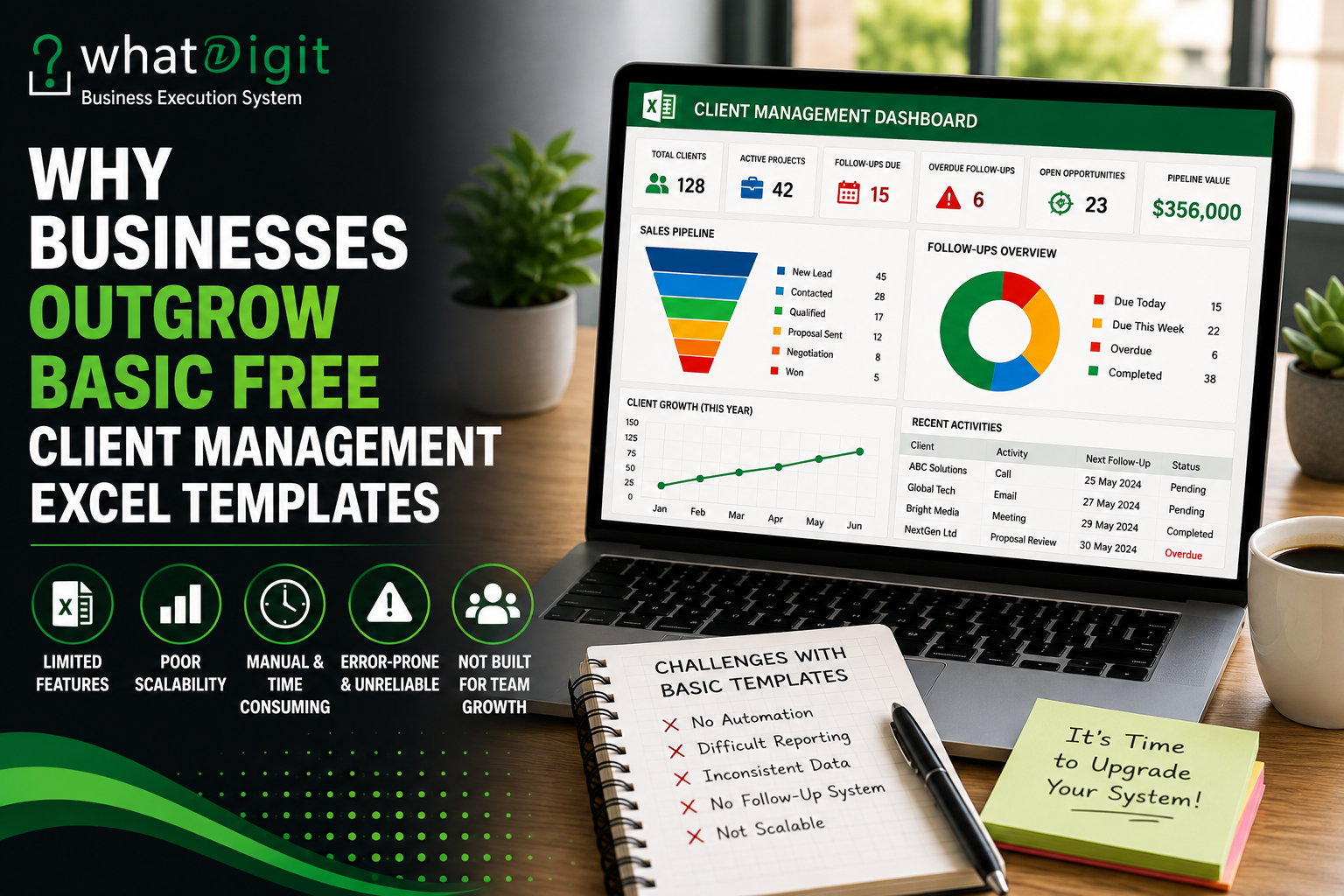
A free client management Excel template can be a sensible starting point for a freelancer, new business, or small team. It can provide a basic place to store contacts, track follow-ups, and organize customer information without adding software costs. However, business requirements rarely remain static. As client records, sales activities, team responsibilities, and reporting needs increase, a simple spreadsheet can become harder to maintain. The issue is not that free templates are inherently poor. The issue is that a basic structure may no longer match a more demanding workflow.
When a Free Client Management Template Is Enough
Free templates can provide real value when the workflow is straightforward. A freelancer handling a small number of clients may only need contact details, project status, notes, and a follow-up date. In that situation, adding a sophisticated dashboard or complicated automation may create more work than it removes.
A basic template can also help a new business establish consistent data-entry habits before investing in a more advanced system. The business can determine which fields actually matter, which activities require regular monitoring, and which reports management genuinely uses.
The problem begins when the business keeps adding requirements to a template that was never designed to support them.
Simple Contact Tracking
A basic spreadsheet often starts with fields such as:
- Client name
- Company
- Phone
- Status
- Notes
- Last contact date
- Next follow-up date
For a small customer list, these fields may be sufficient. Users can filter records, sort dates, and manually update information without much difficulty.
As the number of records grows, however, users may need lead stages, sales opportunities, task ownership, communication history, project information, renewal dates, priorities, and performance reporting. At that point, the original contact list has evolved into a client management system.
The First Signs of Growth
A business may be approaching the limits of a basic template when employees start creating separate sheets to compensate for missing functionality.
For example, one worksheet may contain contacts, another may contain follow-ups, and another may contain sales opportunities. Team members may also maintain personal notes because the original spreadsheet does not provide enough structure.
That creates a warning sign: the business is no longer using one system. It is building several disconnected systems around the original spreadsheet.
Why More Client Records Create More Complexity
The number of records matters, but record volume alone does not determine whether Excel remains suitable. Complexity increases when each record contains more relationships, activities, owners, dates, and status changes.
A spreadsheet with 50 simple contacts can be easier to manage than a spreadsheet with 20 clients and hundreds of related activities.
For example, a growing service business may need to track:
- Multiple contacts for each company
- Several active projects
- Sales opportunities
- Follow-up commitments
- Meetings
- Proposals
- Tasks
- Deadlines
- Account owners
- Renewal dates
- Customer issues
A basic template may not have enough structure to connect these elements logically.
Duplicate Data Becomes a Problem
As workbooks expand, users often duplicate customer information across worksheets. The same company name, contact details, and account status may appear in several places.
That creates maintenance problems.
If a phone number changes, someone has to know every location where that information appears. If an account owner changes, outdated records can remain unnoticed.
A stronger structure minimizes unnecessary duplication and creates clear relationships between client, project, activity, and follow-up records.
Manual Data Entry Does Not Scale Indefinitely
Manual entry is not inherently bad. In fact, some information requires human judgment.
The problem occurs when employees repeatedly perform calculations or classifications that Excel could handle automatically.
A basic template may require users to manually determine:
- Which follow-ups are overdue
- How many opportunities are open
- How long a client has been inactive
- How many tasks remain
- Which sales stage contains the most opportunities
- How much pipeline value is open
As activity increases, these manual checks consume more time and create more opportunities for inconsistency.
Automation Adds Practical Value
A professionally structured template may use formulas, conditional formatting, dropdowns, tables, PivotTables, or other Excel functionality to reduce repetitive work.
For example, a follow-up tracker can calculate whether a task is:
- Upcoming
- Due
- Overdue
- Completed
Similarly, formulas can calculate days since the last interaction or summarize opportunity values.
Automation does not eliminate the need for accurate data. If users enter incorrect dates or inconsistent statuses, automated reports can still produce misleading results.
The value comes from reducing repetitive processing after the underlying data has been entered correctly.
Sales Pipelines Become Harder to Manage
Many businesses begin using a client spreadsheet as a contact database and eventually need it to support sales activity.
A basic template may not provide a clear pipeline structure.
A growing sales workflow may require stages such as:
New Lead → Contacted → Qualified → Proposal Sent → Negotiation → Won or Lost
Each opportunity may also require:
- Estimated value
- Probability
- Expected close date
- Salesperson
- Next action
- Follow-up date
- Notes
Once those fields become important, a simple contact list no longer provides enough visibility.
Pipeline Visibility Matters
Managers need more than a list of names. They need to know where opportunities are concentrated and which prospects require action.
A structured pipeline can help answer questions such as:
Which opportunities are waiting for proposals?
Which prospects have not been contacted recently?
Which deals are approaching an expected close date?
Which salesperson owns each opportunity?
Which opportunities have no defined next action?
A basic free template may not answer these questions without significant manual customization.
Follow-Up Tracking Becomes More Important
Missed follow-ups are a common reason businesses start looking for more capable client management systems.
A small business may remember its important customer conversations without difficulty. As the number of prospects and customers increases, memory becomes a poor operating system.
A more structured template can make follow-up management easier by connecting each activity with a customer, owner, date, priority, and status.
Next Action Is More Useful Than Historical Data Alone
Recording the last interaction tells the team what happened.
Recording the next action tells the team what needs to happen.
For example:
Last Interaction: Proposal emailed
Next Action: Call to discuss pricing
Follow-Up Date: September 10
Owner: Account Manager
That structure turns a historical record into an actionable workflow.
A free template may contain a date field, but a more advanced template can organize follow-up information around the entire sales or client-management process.
Teams Need Clear Ownership
A spreadsheet used by one person can rely heavily on personal knowledge. A spreadsheet used by a team cannot.
Once several employees manage the same clients, every important activity needs clear ownership.
Useful fields include:
- Account owner
- Task owner
- Sales representative
- Priority
- Due date
- Status
Without ownership, a follow-up can appear in the spreadsheet while nobody takes responsibility for completing it.
Team Workflows Require Consistency
Different employees may enter information differently.
One person might use “Proposal Sent,” another might write “Proposal,” and another might enter “Sent.”
These differences may seem insignificant, but they can affect filtering, formulas, PivotTables, and dashboard summaries.
Dropdown lists and standardized categories can reduce this problem.
A more structured template therefore adds value not simply because it contains more fields, but because it helps users enter information consistently.
Reporting Needs Grow With the Business
At first, a manager may only need to open the spreadsheet and inspect a few rows.
As the business grows, management often needs summaries.
Possible reporting requirements include:
- Active clients
- New leads
- Open opportunities
- Follow-ups due
- Overdue activities
- Completed tasks
- Pipeline value
- Client categories
- Activity by employee
- Customer growth
A basic template may not provide these summaries automatically.
Dashboards Reduce Manual Review
A dashboard can bring important indicators into one visual area.
For example, a client management dashboard might show total clients, active accounts, open opportunities, overdue follow-ups, and pipeline value.
The dashboard does not replace the underlying data. It presents that data in a form that can be reviewed more quickly.
This becomes increasingly useful when managers do not have time to inspect hundreds of rows every time they need an operational update.
The supplied WhatDigit source material similarly emphasizes client dashboards, follow-up visibility, pipeline information, and structured client activity as useful components of professional Excel-based client management systems.
Customization Becomes a Requirement
A free template usually has to serve a broad audience. Consequently, it may use generic fields that do not perfectly match a particular business.
A growing company may need fields for:
- Service category
- Account tier
- Renewal date
- Contract status
- Project manager
- Lead source
- Customer segment
- Opportunity probability
- Internal notes
- Client health
Customization can solve this problem, but excessive modification can introduce new risks.
Too Much Customization Can Break a Workbook
Users sometimes change formulas, delete columns, rename categories, or move cells without knowing which parts feed dashboards or calculations.
A professionally structured template should make input areas and calculated areas clear.
Documentation also matters. Users need to know which fields they should edit, which values should be selected from dropdowns, and which cells should remain unchanged.
The source prompt specifically identifies customization, documentation, data maintenance, and template flexibility as important considerations when evaluating client management Excel templates.
Data Accuracy Becomes More Important
A basic spreadsheet can tolerate a surprising amount of manual inconsistency when only one person uses it.
That changes when multiple people depend on the same information.
A client management system can become unreliable if:
- Dates use inconsistent formats
- Names are duplicated
- Statuses vary
- Required fields remain blank
- Formulas are overwritten
- Old records remain active
- Completed tasks are not updated
More sophisticated templates can reduce some of these risks through structured tables, dropdown lists, validation rules, protected formulas, and standardized categories.
However, no spreadsheet can completely prevent poor data practices.
The team still needs clear operating rules.
When a Paid Template Can Provide Better Value
Moving from a free template to a paid template makes sense when the additional functionality solves a real business problem.
A paid template may provide value through:
- Better data structure
- Automated calculations
- Follow-up management
- Sales pipeline tracking
- Task management
- Dashboards
- Reporting
- Customization options
- Documentation
- More scalable layouts
The key is not the price itself.
A $20 template with features nobody uses is poor value. A more expensive template that eliminates hours of repetitive setup may provide better value for the right business.
Evaluate Functionality Instead of the Price Tag
Before purchasing, identify the specific problem that the template needs to solve.
For example:
If follow-ups are being missed, prioritize follow-up tracking.
If managers cannot see pipeline status, prioritize sales reporting.
If employees enter inconsistent data, prioritize structured input controls.
If reporting takes too long, prioritize dashboards and automated summaries.
This approach prevents businesses from buying features simply because they look impressive.
Free Templates Still Have a Place
It would be wrong to conclude that every business should abandon free templates.
A free option can remain appropriate when:
- The customer database is small
- One person manages the records
- Follow-up activity is limited
- Reporting requirements are simple
- Manual updates take little time
- The business does not need advanced customization
- Collaboration requirements are minimal
In these situations, paying for advanced functionality may add unnecessary complexity.
The objective should be to use the simplest system that reliably supports the workflow.
Signs That a Business Has Outgrown Its Template
Several practical warning signs indicate that a basic spreadsheet may no longer be sufficient.
Look for patterns such as:
- Employees maintain separate client lists.
- Follow-ups are frequently forgotten.
- Managers manually calculate reports.
- Users create new worksheets for every new requirement.
- The same customer information appears in multiple places.
- Formula errors become difficult to identify.
- Team members disagree about which record is current.
- The dashboard, if one exists, requires frequent manual updates.
- Sales opportunities lack clear stages.
- Employees spend significant time formatting instead of managing customers.
One warning sign does not automatically mean the business needs a paid template. Several recurring problems together provide stronger evidence that the existing system needs improvement.
Scalability Is About Workflow, Not Just Record Count
People often define scalability as the number of rows a spreadsheet can contain.
That is too narrow.
A client management system must also scale in terms of:
- Users
- Activities
- Relationships
- Reporting requirements
- Data maintenance
- Custom fields
- Workflow complexity
A workbook may technically handle thousands of rows while becoming operationally difficult to maintain.
Therefore, scalability should be evaluated by asking whether the structure can support the business process as it becomes more complicated.
Excel Compatibility Still Matters
A professionally built template can lose value if its features do not work correctly in the user's Excel environment.
Before purchasing, check whether the workbook depends on:
- Modern Excel functions
- PivotTables
- Macros
- VBA
- External connections
- Advanced formulas
- Specific Excel versions
Compatibility requirements can vary significantly between templates.
Users should also check whether the workbook works with the version of Excel used by their team.
Who Benefits Most From a More Advanced Template?
Different businesses outgrow basic templates at different stages.
Freelancers
A freelancer may need more structure once multiple clients, projects, invoices, and follow-ups become difficult to track manually.
Consultants
Consultants may benefit from tracking client engagements, contacts, meetings, deliverables, opportunities, and follow-up actions.
Service Businesses
Service companies often need client records connected with tasks, projects, deadlines, and communication history.
Sales Teams
Sales teams may require lead tracking, pipeline stages, opportunity values, ownership, follow-up dates, and performance summaries.
Small Businesses
A growing small business may benefit from a structured template before adopting a dedicated CRM system, provided Excel still meets its collaboration and automation requirements.
What to Check Before Replacing a Free Template
Do not replace a free template simply because it looks basic.
First, identify the actual limitations.
Ask:
- What information cannot be tracked?
- Which tasks require manual calculations?
- Where are follow-ups being missed?
- Which reports take too long to create?
- Are duplicate records appearing?
- Do employees enter data inconsistently?
- Can the current workbook support the next stage of growth?
- Which features would save meaningful time?
- Can the existing template be improved instead of replaced?
These questions make the decision more rational.
A Paid Template Is Not Automatically the Better Choice
There is a common assumption that a premium spreadsheet is always more professional than a free one.
That is not necessarily true.
A complicated workbook can create its own problems.
Too many dashboards, formulas, worksheets, dropdowns, and visual elements can make a template difficult to understand.
The best template is the one that provides the right functionality without unnecessary complexity.
A business should therefore compare usability, structure, automation, customization, compatibility, documentation, and long-term maintenance rather than judging quality from appearance alone.
How to Decide Whether It Is Time to Upgrade
The decision can be framed around operational cost.
Consider how much time employees spend:
- Searching for client information
- Updating duplicate records
- Creating reports
- Identifying overdue follow-ups
- Rebuilding formulas
- Correcting inconsistent data
- Preparing management summaries
Then compare those costs with the effort required to implement and maintain a better template.
This does not require assigning an exaggerated dollar value to every minute. The objective is simply to determine whether the existing spreadsheet is creating enough friction to justify change.
10 Frequently Asked Questions
When should a business stop using a free client management Excel template?
A business should consider replacing or upgrading a free template when client records, activities, team responsibilities, follow-ups, or reporting requirements become difficult to manage reliably. Frequent duplicate data, manual reporting, missed follow-ups, and inconsistent entries are stronger indicators than a specific number of clients or rows.
Are paid client management Excel templates better than free ones?
Not automatically. Paid templates may include more structure, automation, dashboards, customization, or documentation, but those features only matter when they solve real workflow problems. A free template can remain the better choice for a simple operation. Buyers should evaluate functionality, usability, compatibility, and maintenance requirements rather than price alone.
What features should a growing business look for?
Useful features may include structured client records, lead and prospect tracking, sales pipelines, follow-up management, task ownership, automated formulas, dashboards, reporting, validation controls, and customizable fields. The appropriate combination depends on the workflow. A business should avoid paying for features that employees will not actually use.
Can automation make an Excel template more valuable?
Yes. Automation can reduce repetitive calculations and improve visibility by handling tasks such as overdue-status checks, date calculations, totals, summaries, and dashboard updates. However, automation depends on accurate underlying data. It cannot compensate for missing information, incorrect entries, or a poorly designed workflow.
How does customization affect the value of a template?
Customization can make a template more useful because businesses often have different client categories, sales stages, workflows, and reporting needs. However, changes should be made carefully. Editing formulas, linked ranges, or dashboard components without knowing their dependencies can cause errors and reduce reliability.
Is Excel still suitable for a growing business?
Excel can remain suitable when the workflow is manageable and the business does not require extensive automation, permissions, integrations, or simultaneous collaboration. As those requirements increase, dedicated CRM or business-management software may become more practical. The decision should depend on workflow complexity rather than growth alone.
What makes a client management template scalable?
Scalability involves more than supporting additional rows. A scalable template should maintain consistent data structures, formulas, reports, filters, and workflows as clients and activities increase. It should also remain understandable when additional users, categories, tasks, and reporting requirements are introduced.
Should a business buy a template if a free one already works?
Not necessarily. A paid template is worth considering when the existing spreadsheet creates measurable friction or lacks important capabilities. If the free version reliably handles client records, follow-ups, reporting, and daily work, there may be little reason to change. Upgrade when functionality solves an actual operational problem.
How can buyers evaluate a client management Excel template?
Review the workbook structure, input fields, formulas, dashboards, follow-up features, customization options, instructions, compatibility requirements, and ability to add records. Buyers should also check whether the template supports their real workflow rather than relying only on screenshots or feature lists.
Can a complex template become worse than a basic one?
Yes. Excessive complexity can make data entry slower, increase training requirements, and create more opportunities for formula or configuration errors. A template should provide enough functionality to support the workflow without unnecessary components. Simplicity remains valuable when it produces reliable and consistent daily use.
Conclusion
Businesses usually outgrow free client management Excel templates because their workflows become more complex, not simply because they have more customers. More activities, team members, follow-ups, sales opportunities, reporting requirements, and data relationships can expose the limits of a basic spreadsheet.
A paid or more advanced template can provide better value when it addresses those specific limitations through structure, automation, dashboards, customization, and scalable workflows. However, upgrading is not automatically necessary. The right decision is to evaluate where the current system creates friction and choose the simplest solution that can reliably support the next stage of business operations.
Comments (0)