


Introduction
Service businesses depend on relationships, deadlines, communication, and consistent delivery. Whether the business provides consulting, marketing, design, IT services, accounting, coaching, maintenance, or professional services, client information rarely stays limited to a name and phone number. Teams often need to track projects, contacts, follow-ups, tasks, service details, account status, and upcoming work. A client management Excel template can organize this information in one practical system. However, not every template suits service-based workflows. The best choice is the one that matches how the business actually manages clients, projects, communication, and ongoing responsibilities.
What Makes a Client Management Template Suitable for Service Businesses?
A service business usually manages relationships differently from a business focused primarily on one-time product transactions.
The customer relationship may continue for months or years. Multiple projects may exist under the same account, employees may communicate with the same client, and ongoing tasks may depend on deadlines or approvals.
Therefore, a useful client management spreadsheet should go beyond basic contact storage.
Important capabilities can include:
- Client and contact management
- Service tracking
- Project information
- Task management
- Follow-up scheduling
- Activity tracking
- Account ownership
- Client status
- Sales opportunities
- Reporting
- Dashboards
- Customizable fields
- Automated calculations
The ideal combination depends on the service business and its operating model.
Start With the Business Workflow
Before choosing a template, identify what happens after a client enters the business.
A typical service workflow might look like:
Lead → Consultation → Proposal → New Client → Project Delivery → Follow-Up → Renewal or Repeat Work
A template should support the important stages of this process.
If a business only needs contact information and occasional follow-ups, a simple spreadsheet may be enough. However, if the business manages multiple active projects and several team members, a more structured template may provide substantially more value.
The important question is not:
“Which template has the most features?”
It is:
“Which template supports the way this business actually works?”
Client Information Should Be Easy to Organize
The foundation of any client management system is accurate client information.
A service business may need to store:
- Company name
- Primary contact
- Email address
- Phone number
- Location
- Industry
- Client type
- Account owner
- Service purchased
- Client status
- Notes
A professionally structured workbook can separate these fields instead of forcing employees to store everything in one notes column.
This matters because structured data can be filtered, sorted, searched, and used in reports.
For example, a manager may want to view all active clients assigned to a particular account manager. That task becomes much easier when the relevant information exists in separate, consistent fields.
Contact Management Matters More for Ongoing Services
Service businesses often communicate with clients repeatedly.
A single client may have several contacts, including:
- Decision-maker
- Project manager
- Billing contact
- Technical contact
- Department head
A template that allows useful contact information to be recorded can reduce the need to search through emails or separate documents.
However, businesses should distinguish between a client account and an individual contact when the distinction matters.
A company can have multiple contacts while remaining one client account.
That structure becomes particularly important for agencies, consultants, technology providers, and other businesses working with organizational customers.
Project Tracking Is a Major Consideration
Many service businesses do not simply sell a service and finish the relationship.
They deliver work.
That work may have:
- Start dates
- Due dates
- Tasks
- Milestones
- Assigned employees
- Client approvals
- Deliverables
- Progress
- Status
For these businesses, a template with project-management capabilities may be more useful than a basic customer database.
For example, a marketing agency could manage:
Client: ABC Consulting
Project: Website Redesign
Project Manager: Account Manager
Start Date: August 1
Due Date: September 15
Status: In Progress
Progress: 65%
This information gives the team operational context that a basic contact list cannot provide.
Follow-Up Tracking Should Be Built Into the Workflow
Client communication does not stop when a project begins.
Service businesses may need to:
- Confirm requirements
- Request documents
- Schedule meetings
- Review deliverables
- Collect approvals
- Discuss changes
- Send proposals
- Follow up after delivery
- Discuss renewals
A client management template should make these activities visible.
Useful fields include:
- Last contact date
- Next follow-up date
- Follow-up type
- Assigned person
- Priority
- Follow-up status
- Notes
This structure helps prevent follow-up responsibilities from becoming dependent on memory.
Last Contact and Next Contact Serve Different Purposes
These two fields should not be confused.
Last Contact tells the business what happened.
Next Follow-Up tells the business what needs to happen.
For example:
Last Contact: Client approved project scope.
Next Follow-Up: Send project timeline.
Due: August 30.
This creates a more actionable client record.
Task Management Can Make a Template More Useful
A service business may have many tasks connected to one client.
For example, an IT service provider might need to:
- Review requirements
- Configure access
- Complete implementation
- Test the solution
- Train employees
- Send documentation
If the client management template includes task tracking, these responsibilities can be organized alongside account information.
Useful task fields may include:
- Task
- Client
- Assigned employee
- Start date
- Due date
- Priority
- Status
- Completion percentage
- Notes
This is particularly valuable when the business wants a single operational view rather than maintaining separate client and task spreadsheets.
Look for Clear Status Categories
Service businesses need to know where each relationship stands.
Potential client statuses include:
- Prospect
- New Client
- Active
- On Hold
- At Risk
- Inactive
- Lost
The exact categories should reflect the business process.
Avoid creating too many statuses simply because the template allows them.
If employees cannot clearly distinguish between categories, reporting becomes unreliable.
A simple, well-defined status system is generally more useful than a complicated one that nobody updates consistently.
Sales Pipeline Features Can Still Matter
A service business may have active customers and potential customers at the same time.
Therefore, a client management template can benefit from basic sales pipeline functionality.
Possible fields include:
- Lead source
- Sales stage
- Estimated value
- Probability
- Expected close date
- Next action
- Sales owner
A consulting company, for example, may have several prospects while simultaneously managing ongoing engagements.
Keeping prospects and existing clients within a structured workflow can provide better visibility into both current work and potential future business.
Service Tracking Is Often More Important Than Product Tracking
Product businesses may focus heavily on inventory, orders, and shipments.
Service businesses usually have different operational concerns.
They may need to track:
- Service package
- Engagement type
- Project scope
- Retainer status
- Contract dates
- Renewal date
- Hours
- Deliverables
- Service frequency
This is why choosing a generic customer spreadsheet without considering service-specific requirements can create unnecessary work.
A good template should reflect the actual information required to deliver and maintain the service.
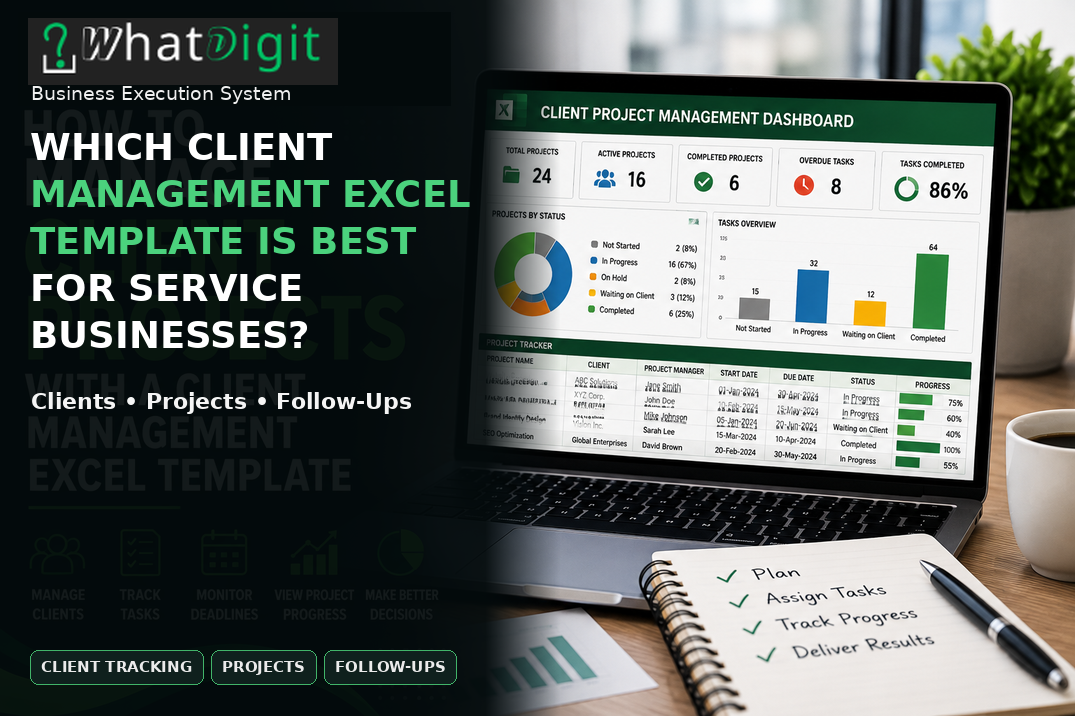
Dashboards Can Give Managers a Faster Overview
A dashboard is useful when it summarizes information that would otherwise require manual review.
For a service business, useful dashboard metrics may include:
- Total clients
- Active clients
- Active projects
- Projects due soon
- Overdue tasks
- Follow-ups due
- Open opportunities
- Pipeline value
Charts might display:
- Clients by status
- Projects by stage
- Revenue by service
- Opportunities by sales stage
- Activity by month
The value of a dashboard depends on whether the underlying information is accurate.
A visually impressive dashboard with outdated data is not useful.
Therefore, dashboard functionality should be evaluated together with data structure and maintenance requirements.
Automated Formulas Can Reduce Repetitive Work
Automation is another factor worth considering.
Excel formulas can calculate information such as:
- Expected revenue
- Days since last contact
- Days until a deadline
- Project completion percentage
- Follow-up status
- Total opportunity value
- Client counts
For example, a formula can compare a follow-up date with the current date and identify whether an activity is upcoming or overdue.
This can reduce repetitive manual calculations.
However, formulas should be transparent enough that users can understand or maintain them when necessary.
Automation is useful only when it remains reliable.
Customization Is Critical for Service Businesses
Service businesses vary significantly.
A graphic design agency may need project status and approval tracking.
A consulting firm may need engagement type and billing information.
An IT provider may need service tickets and implementation milestones.
An accounting firm may need tax deadlines and document status.
Because workflows differ, customization can be more valuable than simply having a large number of built-in features.
Before purchasing a template, check whether it allows users to customize:
- Fields
- Categories
- Dropdown lists
- Statuses
- Dashboard metrics
- Reports
- Project types
- Service categories
Customization should be done carefully, particularly when formulas or dashboards depend on existing fields.
Scalability Should Influence Your Choice
A template that works for 20 clients may not work equally well for 500.
As a service business grows, it may add:
- More clients
- More projects
- More employees
- More services
- More follow-ups
- More reporting requirements
The workbook should remain manageable as these records increase.
Scalability does not necessarily mean unlimited capacity.
It means the structure remains practical as the business grows.
A spreadsheet that requires extensive manual copying every time a new client is added may become inefficient surprisingly quickly.
Free Templates Can Be Enough in Some Cases
Not every service business needs a premium template.
A free spreadsheet may be perfectly adequate when the business:
- Has a small client base
- Has one or two users
- Manages simple services
- Requires basic contact information
- Needs limited reporting
- Has straightforward follow-ups
Paying for advanced functionality makes little sense if the business will not use it.
The goal should be functionality that solves a real operational problem.
When a Premium Template Provides More Value
A premium client management template may make more sense when the business needs several connected functions.
For example:
A growing digital agency might manage 75 clients, 30 active projects, several account managers, hundreds of tasks, and frequent follow-ups.
A basic contact spreadsheet would store client information but would not necessarily provide enough structure for managing the broader workflow.
A more advanced template could combine:
- Client records
- Project tracking
- Follow-ups
- Tasks
- Sales pipeline
- Dashboards
- Reporting
- Automated calculations
In this situation, the value comes from integration between related activities.
If you plan to buy Client Management Excel Template online in USA, evaluate whether the workbook actually supports your workflow rather than choosing based on the number of worksheets or the appearance of its dashboard.
Match the Template to the Type of Service Business
Different service businesses have different priorities.
Consulting Businesses
Consultants may need:
- Client information
- Engagement details
- Project milestones
- Meeting records
- Follow-ups
- Proposal tracking
- Billing-related information
A project-oriented template can be useful.
Marketing Agencies
Agencies often manage multiple campaigns and deliverables simultaneously.
Useful features may include:
- Client accounts
- Campaigns
- Tasks
- Deadlines
- Approvals
- Team ownership
- Project progress
- Communication tracking
IT Service Businesses
IT providers may prioritize:
- Client accounts
- Service categories
- Issues
- Tasks
- Project status
- Technical contacts
- Deadlines
- Follow-ups
A template designed only for sales contacts may be too limited.
Professional Services
Accounting, legal, financial, and similar professional service businesses may need structured client records combined with:
- Engagement status
- Deadlines
- Document tracking
- Responsible employee
- Renewal dates
- Follow-ups
The appropriate design depends heavily on the firm's workflow.
Freelancers
Freelancers may need something simpler.
A practical system might include:
- Client
- Service
- Project
- Payment status
- Due date
- Follow-up
- Notes
An unnecessarily complex template can create more administration than it eliminates.
Ease of Use Should Not Be Ignored
A template can have excellent functionality and still fail operationally if employees find it difficult to use.
Look for:
- Clear worksheet names
- Logical field placement
- Simple data entry
- Easy navigation
- Consistent formatting
- Instructions
- Clearly identified input areas
The best system is not necessarily the most sophisticated one.
It is the one employees can use correctly and consistently.
Documentation Can Save Time
Instructions may appear like a minor feature, but they can be valuable when a workbook contains formulas, dashboards, dropdowns, or multiple worksheets.
Good documentation can explain:
- Where to enter client data
- How to add new records
- What each status means
- How dropdowns work
- How dashboards update
- Which cells should not be edited
- How to customize categories
Without documentation, users may accidentally change formulas or misunderstand important fields.
Data Accuracy Is More Important Than Design
A polished dashboard can create a strong first impression.
But visual quality should never outweigh data reliability.
Before selecting a template, determine whether its structure helps users maintain accurate information.
Look for:
- Consistent fields
- Data validation
- Structured tables
- Clear categories
- Protected formulas where appropriate
- Logical calculations
- Easy updating
A simple template with dependable data can provide more business value than an attractive workbook full of unnecessary features.
Check Excel Compatibility
Excel functionality can vary depending on the version and environment being used.
Before purchasing a template, check whether it requires:
- Specific Excel versions
- Microsoft 365
- Mac or Windows compatibility
- Advanced formulas
- Macros
- VBA
- Power Query
- Power Pivot
A template that depends on features unavailable in your environment may not work as expected.
Compatibility should therefore be part of the purchasing decision rather than an afterthought.
Be Careful With Complex Automation
Automation can be valuable, but more automation is not always better.
A workbook containing complicated macros may require additional maintenance.
If a service business only needs client records, follow-ups, and a basic dashboard, advanced automation could add unnecessary complexity.
Evaluate the trade-off between:
Functionality
and
Maintainability.
A system should be powerful enough to solve the problem without becoming so complicated that ordinary users cannot manage it.
Avoid Choosing a Template Based Only on Appearance
This is a common purchasing mistake.
A screenshot can show:
- Attractive colors
- Large KPI cards
- Charts
- Professional formatting
But it cannot tell you everything about the underlying workbook.
Before choosing a template, determine:
- How data is entered
- How formulas work
- Whether records expand automatically
- Whether dropdowns can be changed
- Whether dashboards update dynamically
- Whether the workbook can be customized
- Whether instructions are included
The visual design matters, but functionality matters more.
What Features Should a Service Business Prioritize?
A useful starting point is to divide features into three levels.
Essential Features
Most service businesses should consider:
- Client database
- Contact information
- Client status
- Follow-up tracking
- Notes
- Search and filtering
Valuable Features
Depending on the workflow:
- Project tracking
- Task management
- Sales pipeline
- Account ownership
- Service categories
- Dashboards
- Automated calculations
Advanced Features
Useful for more complex operations:
- Advanced reporting
- Multiple dashboards
- Complex automation
- Power Query
- VBA
- Advanced data analysis
Not every business needs the third category.
Questions to Ask Before Buying
Before selecting a template, ask:
- Does it match the service business's workflow?
- Can it track both clients and prospects?
- Can it manage active projects?
- Can users record follow-ups?
- Can tasks be assigned to employees?
- Are categories customizable?
- Can the dashboard be modified?
- Do formulas update automatically?
- Can new records be added safely?
- Is it compatible with the available Excel version?
These questions help shift the purchasing decision from appearance to practical usefulness.
Warning Signs of a Poor Fit
A template may not be appropriate if:
- It contains many irrelevant fields.
- Its categories cannot be customized.
- Its formulas are difficult to understand.
- The dashboard does not update correctly.
- Adding records requires manual formula changes.
- Instructions are missing.
- The workbook is difficult to navigate.
- It relies on features unavailable in your Excel environment.
A long feature list cannot compensate for poor usability.
How to Evaluate Value for Money
Price should be evaluated against the problem the template solves.
Suppose a service business spends significant time maintaining separate spreadsheets for clients, projects, and follow-ups.
A structured template may reduce the need for repetitive manual organization.
But if a business has only a few clients and rarely updates its records, a premium template may provide little additional value.
The right question is:
What operational work does this template eliminate, simplify, or organize?
That is a much better measure of value than the purchase price alone.
A Practical Example
Consider a hypothetical consulting firm managing 40 active clients.
Each client may have:
- One or more projects
- Multiple meetings
- Upcoming follow-ups
- Several tasks
- A project deadline
- An account owner
A basic spreadsheet containing only names and contact details would not provide enough operational visibility.
A more suitable workbook could organize:
Client: ABC Consulting
Status: Active
Project: Operations Review
Owner: Account Manager
Last Contact: August 20
Next Follow-Up: August 28
Project Status: In Progress
Due Date: September 15
Priority: High
This single record gives the team considerably more context.
The template does not replace judgment or project-management discipline. It simply organizes information so the team can act on it more efficiently.
The Best Template Is the One That Fits the Workflow
There is no universally best client management Excel template for every service business.
A freelancer, consulting firm, marketing agency, IT provider, and professional services organization can have completely different requirements.
Therefore, the best template is the one that provides the right balance of:
- Client organization
- Contact management
- Project tracking
- Follow-up management
- Task tracking
- Reporting
- Automation
- Customization
- Scalability
- Ease of use
Avoid paying for functionality that does not solve a real problem.
At the same time, avoid choosing an overly basic spreadsheet simply because it is inexpensive if the business already struggles with fragmented client information and manual workflows.
Frequently Asked Questions
What is the best client management Excel template for a service business?
The best template is the one that matches the business's actual workflow. Service businesses should generally look for client records, contact management, status tracking, follow-ups, and notes, while project-based companies may also need task tracking, deadlines, project status, dashboards, and reporting.
Should a service business use a free or premium Excel template?
A free template can be sufficient for a small operation with straightforward client tracking. A premium template may provide better value when the business needs structured workflows, dashboards, automation, project tracking, customization, or more advanced reporting. The decision should depend on functionality and workflow requirements rather than price alone.
Can a client management Excel template track projects?
Yes, some templates include project management features such as project names, clients, start dates, deadlines, status, assigned employees, tasks, and progress. However, not every client management template includes project tracking, so businesses should verify the actual workbook structure before purchasing.
What fields should a service business track?
Common fields include client name, contact details, client status, service type, account owner, project information, last interaction, next follow-up, task status, deadlines, notes, and opportunity information. The appropriate fields depend on the services provided and the complexity of the business workflow.
Are dashboards useful for service businesses?
Dashboards can provide a quick overview of clients, projects, follow-ups, opportunities, and workload. Their usefulness depends on accurate underlying data. A dashboard with outdated or poorly structured information can create a false sense of visibility, so data quality and dashboard design should be evaluated together.
Can service businesses customize Excel client management templates?
Many templates allow some level of customization, such as adding fields, modifying categories, changing dropdowns, or adjusting dashboard metrics. However, users should check whether formulas, charts, and reports depend on existing structures before making significant changes. Customization should improve the workflow without damaging workbook functionality.
Can Excel templates track multiple contacts for one client?
Some templates can accommodate multiple contacts, while simpler workbooks may provide only one primary contact field. Businesses working with larger organizations should check whether the template distinguishes between the client account and individual contacts. This distinction can become important when several employees communicate with the same organization.
How important is Excel compatibility when choosing a template?
Compatibility is important because templates may use different Excel features, formulas, macros, or automation. Before purchasing, verify whether the workbook works with the Excel version and operating environment being used. A template that depends on unavailable features may require modification or may not function correctly.
When should a service business move beyond Excel?
Excel can work well for manageable client and project volumes. A dedicated CRM or project-management system may become more appropriate when the business requires advanced collaboration, permissions, integrations, extensive automation, large-scale records, or complex communication histories. The decision should be based on operational complexity rather than a specific client count.
How can a business determine whether a client management template is worth buying?
Evaluate the template against actual workflow requirements. Check its client fields, follow-up tracking, project capabilities, formulas, dashboards, customization, documentation, scalability, and compatibility. Most importantly, determine whether it will reduce repetitive administrative work or improve information organization. A template is valuable when its functionality solves a real business problem.
Conclusion
The best client management Excel template for a service business is not necessarily the most expensive, most attractive, or most feature-heavy option. It is the one that fits the way the business manages clients, projects, communication, tasks, and follow-ups. Simple businesses may need only structured client and contact tracking, while growing service teams may benefit from project management, dashboards, automation, and reporting. Evaluate the workflow first, then choose the template that supports it without adding unnecessary complexity.
Comments (0)