


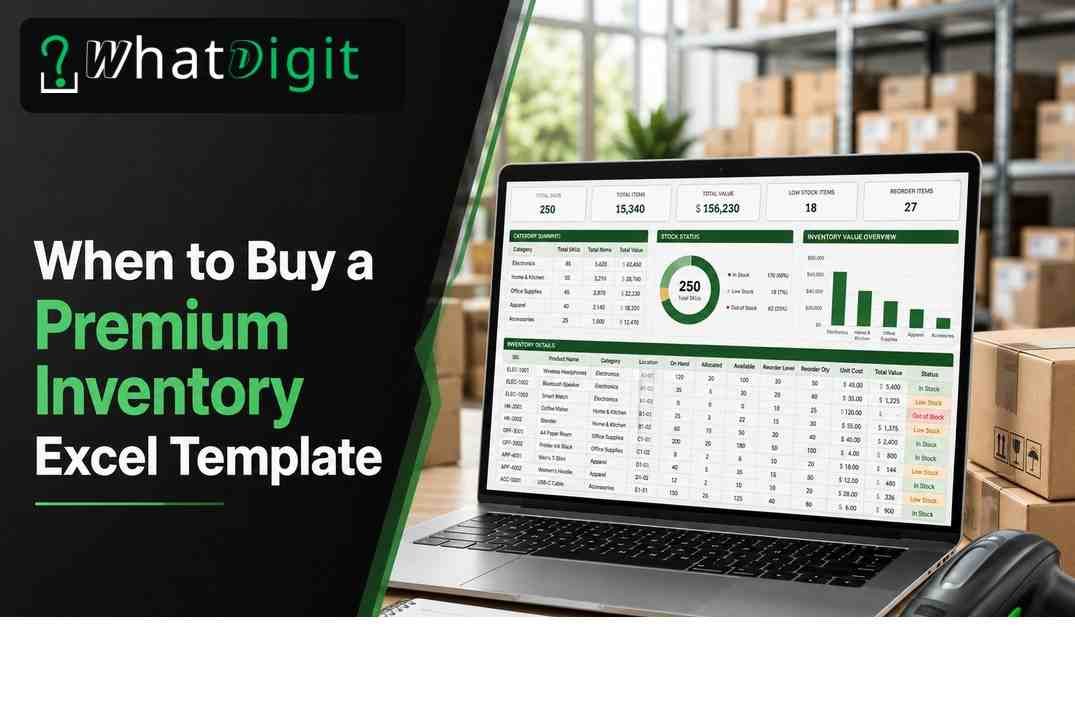
A premium inventory management Excel template becomes worthwhile when stock tracking affects cash flow, customer service, purchasing, or daily productivity, yet dedicated software would add unnecessary cost or complexity. The strongest buying signals include recurring data errors, missed reorder points, growing SKU counts, multiple storage locations, and reporting that takes hours to assemble. A paid workbook can provide validated entry fields, automated calculations, alerts, and dashboards without requiring a software subscription. However, businesses that need real-time multiuser transactions, barcode integrations, or advanced accounting connections should usually consider dedicated inventory software instead.
When Does a Premium Inventory Template Become Worthwhile?
A paid template makes sense when its operational benefits exceed its purchase price, setup time, and maintenance burden. The decision depends less on company size than on inventory activity, consequences of errors, and the quality of information required for purchasing decisions.
The Practical Threshold
Consider upgrading when a basic sheet creates repeated work or unreliable answers. If employees regularly reconcile duplicate lines, search for missing quantities, or calculate reorder needs manually, the free file has become an operational constraint. A premium workbook can standardize inputs and turn recorded transactions into usable information automatically.
Business Stage Matters
New businesses with ten products and occasional sales may only need a simple stock list. As orders become consistent, owners need purchase records, sales deductions, supplier details, and reorder points. That transition often marks the right stage for a premium template.
What Signs Show That a Free Spreadsheet No Longer Works?
A free inventory spreadsheet has reached its limit when staff cannot trust its figures, maintain it efficiently, or obtain timely decisions from it. Several recurring symptoms provide stronger evidence than file age or business revenue alone.
Errors and Reconciliation Problems
Frequent manual corrections signal weak controls. Common problems include inconsistent product names, accidental formula deletion, entries in the wrong columns, duplicate transactions, and negative quantities that nobody investigates. These issues spread when users copy rows or build separate departmental versions.
Watch for these warning signs:
Physical counts repeatedly differ from recorded stock without a clear cause.
Buyers place emergency orders because the sheet failed to flag shortages.
Employees maintain parallel files and debate which version contains current figures.
Reports require manual sorting, filtering, and calculator work every week.
Product codes, units of measure, or location names appear in inconsistent formats.
Data validation, protected formulas, controlled lists, and structured transaction logs can reduce these failures. A premium design does not eliminate human error, but it can prevent predictable mistakes and make exceptions easier to locate.
Slow Decisions and Limited Visibility
A stock file should answer basic questions quickly: What is available? What is committed? What needs reordering? Which products move slowly? If managers must inspect multiple tabs or contact several people, the workbook no longer supports timely decisions.
Moreover, simple quantity columns rarely reveal inventory value, turnover patterns, aging, or purchasing exposure. A well-built dashboard can consolidate those signals. Consequently, managers spend less time assembling figures and more time acting on them.
Which Business Situations Justify a Purchase?
Premium templates suit operations that need stronger control than a basic list provides but do not yet require a database-driven platform. The best fit combines manageable transaction volume with a need for consistent records, calculations, and reporting.
Retail, E-Commerce, and Wholesale Operations
Retailers and online sellers often track product variants, supplier costs, sales, returns, and safety stock. A premium workbook can connect transaction logs to current balances and highlight items below their reorder points. Wholesalers may also need case quantities, lead times, minimum order quantities, and customer allocations.
Businesses evaluating where to buy inventory management excel template online in USA should prioritize functional fit, transparent instructions, and compatibility over decorative dashboards. A polished screen has little value if the workbook cannot represent returns, damaged goods, or the company’s units of measure.
Manufacturing and Warehouse Use
Small manufacturers may use Excel to track raw materials, packaging, work-in-process estimates, and finished goods. A premium template can work when production flows remain simple, and one person controls updates. However, bills of materials, lot traceability, serial numbers, and shop-floor scanning can quickly exceed spreadsheet capabilities.
Warehouse teams can benefit from location fields, bin references, receiving logs, issue records, and transfer tracking. Yet simultaneous activity across several facilities raises version-control risk. If every site needs live quantities, dedicated software generally provides safer coordination.
Which Features Are Worth Paying For?
Valuable features reduce errors, save recurring labor, or improve purchasing decisions. Buyers should judge each function against an actual workflow rather than select the workbook with the longest feature list.
Reliable Data Entry and Automated Calculations
The strongest templates separate master product records from purchases, sales, adjustments, and transfers. Users enter each transaction once, while formulas update balances, inventory value, and reorder status. This structure creates a clearer audit trail than directly overwriting current quantities.
Useful controls include:
Drop-down lists for SKUs, suppliers, locations, transaction types, and units.
Duplicate-code warnings and required-field checks.
Protected formula cells with clearly marked input areas.
Automatic stock-on-hand, committed-stock, and available-stock calculations.
Reorder quantities based on thresholds, lead times, or defined safety stock.
Automation should remain transparent. Users need to know which cells accept entries, what each calculation means, and how adjustments affect totals. Hidden logic without documentation creates dependency and makes troubleshooting harder.
Alerts, Dashboards, and Reports
Low-stock alerts help teams act before inventory reaches zero, provided users maintain accurate reorder points. Conditional formatting can highlight shortages, excess stock, expired dates, or inactive items. Meanwhile, an Excel dashboard can summarize inventory value, category totals, purchase activity, and slow-moving products.
Reports should support specific decisions. A reorder report should identify the item, current available quantity, target level, supplier, lead time, and suggested order amount. Similarly, an aging report should define its date basis clearly. Visual appeal matters less than accurate, filterable, decision-ready data.
Customization and Documentation
A paid template should allow reasonable changes to categories, tax fields, locations, units, and reporting periods. Instructions should cover setup, routine entry, corrections, backups, and formula protection. Compatibility information should identify supported Microsoft Excel versions, operating systems, macros, and any regional setting requirements.
How Do Free and Premium Inventory Templates Differ?
Free templates usually provide a basic inventory list, while premium versions typically add transaction workflows, validation, automation, reports, and support documentation. Price alone does not guarantee quality, so buyers must examine actual structure and limitations.
Where Free Templates Perform Well
A free sheet can serve a new operation with few items, low transaction frequency, one responsible user, and limited reporting needs. It also works for temporary counts, home-based stock, sample libraries, or an initial process test. Simplicity can be an advantage because fewer formulas mean fewer failure points.
Choose free when the cost of an error remains small and manual review takes little time. A free workbook also helps a business define required fields before spending money. However, avoid expanding a weak sheet indefinitely through copied formulas and disconnected tabs.
What Premium Versions Should Add
A legitimate premium option should offer more than colors and charts. It should improve data integrity, transaction capture, reporting speed, usability, or adaptability. Ideally, buyers can inspect screenshots, field lists, sample instructions, system requirements, and stated limits before purchase.
Premium Excel Template or Inventory Software?
Excel remains appropriate when one or a few controlled users need flexible, affordable inventory tracking. Dedicated software becomes stronger when the operation requires real-time collaboration, integrations, traceability, or high transaction capacity.
When Excel Is the Better Choice
Microsoft Excel offers familiar controls, portable files, broad customization, and no mandatory per-user subscription beyond existing licensing. A template may fit businesses that:
Have a stable process and moderate transaction volume.
Assign file ownership to one person or a tightly coordinated team.
Need custom fields or calculations without software development.
Can import periodic sales data instead of requiring live synchronization.
Prefer local control and can enforce backups and access rules.
Excel also supports gradual process improvement. Teams can refine categories, reorder logic, and reports before committing to a larger platform. Nevertheless, customization should preserve formulas and record structure; uncontrolled edits can weaken reliability.
When Dedicated Software Is Safer
Inventory software generally fits businesses that need concurrent updates across locations, barcode scanning, automated sales-channel synchronization, purchase-order workflows, user permissions, or detailed audit histories. It also handles serial numbers, lots, expiration rules, assemblies, and fulfillment connections more reliably at scale.
How Should You Evaluate Cost and Return?
Evaluate total ownership cost, not only the download price. Include setup, data cleanup, customization, employee training, recurring maintenance, backup administration, and the potential cost of incorrect inventory decisions.
Calculate Practical Value
Estimate the hours currently spent cleaning data, compiling reorder lists, reconciling counts, and creating reports. Multiply recurring hours by the relevant labor cost. Then consider avoidable rush shipping, stockouts, excess purchases, write-offs, and delayed customer orders, while using conservative assumptions.
A simple evaluation can follow four steps:
Record current monthly administrative time and recurring inventory problems.
Identify which template features directly address each problem.
Estimate realistic monthly savings and subtract setup or maintenance time.
Compare the net benefit with the purchase cost and likely useful life.
Return comes from consistent use, not file ownership. If employees bypass transaction entry or reorder settings remain outdated, automation will produce unreliable outputs. Therefore, include process discipline in the investment decision.
Account for Setup and Scalability
Migration may require cleaning product codes, standardizing units, confirming opening quantities, and mapping supplier records. Complex historical data can make setup more expensive than the template. In contrast, a clean product list may allow rapid deployment.
What Should Buyers Ask Before Purchasing?
Buyers should confirm workflow fit, technical requirements, customization rights, support terms, and operational limits before paying. Clear answers reduce the chance of purchasing an attractive but unusable file.
Workflow and Technical Questions
Ask the seller or inspect available documentation for answers to these points:
Does the workbook calculate balances from transactions or require quantity overwrites?
Can it handle returns, write-offs, transfers, bundles, and unit conversions?
How many SKUs, transactions, locations, and reporting periods can it manage?
Does it require macros, add-ins, cloud connections, or a specific Excel edition?
Can users import existing records without breaking formulas?
Which fields, reports, and alerts can buyers customize safely?
Are instructions, updates, troubleshooting support, and refund terms clearly stated?
Also confirm whether the file works with the company’s date, currency, decimal, and regional settings. Testing a sample copy, when available, can reveal usability issues before migration.
Security and File Governance Questions
Determine where the workbook will reside, who can edit it, and how the team will recover it after accidental deletion or corruption. Password protection can discourage casual edits, but it does not replace secure storage permissions or encryption controls.
Which Red Flags Should You Avoid?
Poor templates hide limitations, lack usable instructions, or emphasize appearance over data integrity. Buyers should reject files that cannot explain how records flow from entry to reports.
Design and Reliability Problems
Warning signs include merged input cells, hard-coded totals, inconsistent formulas, unexplained macros, and reports that depend on manual copying. Avoid workbooks that require users to overwrite balances, because that method removes the transaction history needed for reconciliation.
Other concerns include:
No sample screens, field descriptions, or compatibility statement.
Locked sheets that prevent necessary setup without explaining restrictions.
Unlimited-capacity claims with no discussion of Excel performance.
Dashboards that lack source definitions or actionable detail.
Instructions that omit corrections, period closing, backup, and recovery.
Features that rely on external links that may stop working.
Macros deserve special scrutiny. They can add useful automation, but organizations may block them for security reasons. Buyers should know why each macro exists and whether core functions work without it.
Practical Purchasing Decision Checklist
A purchase makes sense when the workbook solves defined problems, fits existing processes, and remains manageable under realistic growth. Use the following checks before committing funds or migrating data.
Confirm Fit Before Buying
Current stock figures take too long to verify or frequently prove inaccurate.
Manual reporting consumes recurring employee time.
Required transaction types match the template’s available workflows.
SKU, location, user, and transaction limits provide reasonable headroom.
Automated calculations and alerts address documented operating problems.
The workbook supports the company’s Excel version and security policies.
Instructions explain setup, daily use, error correction, and backups.
One accountable owner can maintain product records and formula integrity.
Estimated time or error savings justify purchase and implementation costs.
Dedicated software would add unnecessary complexity at the current stage.
If most statements apply, a premium inventory spreadsheet may provide an efficient middle step. If several fail because of live integrations, simultaneous users, traceability, or rapid scale, evaluate inventory software. If inventory remains simple and low risk, retain a free sheet until stronger needs emerge.
Conclusion
Buy a premium inventory management Excel template when recurring stock errors, manual reporting, or growing operational complexity cost more than a structured workbook. The best candidates need validated entries, automated balances, reorder alerts, and practical reports but can still manage controlled file ownership and moderate transaction volume. Choose a free spreadsheet for simple, low-risk tracking. Choose dedicated software for real-time collaboration, integrations, advanced traceability, or substantial scale. Before purchasing, verify workflow fit, compatibility, documentation, security, maintenance needs, and realistic financial value.
FAQs
How much should a premium inventory Excel template cost?
The appropriate price depends on workflow depth, documentation, customization, and support rather than visual design. Compare the fee with expected labor savings and avoided errors. A lower-priced file can deliver strong value for simple operations, while a complex workbook wastes money if most functions remain unused.
Can a premium template handle multiple warehouses?
Yes, some templates track multiple warehouses through location fields and transfer logs. Confirm that balances, reports, and reorder points work separately for each site. If many employees need simultaneous live updates, inventory software will usually control conflicts and visibility more reliably than a shared workbook.
Do premium inventory templates require advanced Excel skills?
Not necessarily. A well-designed template should provide marked input areas, drop-down lists, instructions, and protected formulas. Users still need basic skills for filtering, saving, and correcting entries. Complex customization, macros, or formula repair may require stronger knowledge or qualified technical assistance.
Can I customize a paid inventory workbook?
Usually, but customization rights and protected areas vary. Confirm whether you can add categories, locations, fields, and reports without breaking calculations. Preserve an untouched master copy, document every structural change, and test modified formulas with sample transactions before relying on the workbook operationally.
Is Excel secure enough for inventory data?
Excel can support reasonable security when businesses use controlled storage, restricted permissions, encryption, backups, and disciplined file ownership. Password-protected sheets mainly prevent accidental edits. Operations holding sensitive linked data or requiring detailed user audit trails may need software with stronger access controls.
How often should an inventory template be backed up?
Back up the workbook according to transaction frequency and acceptable data loss. A busy operation may need automatic daily backups and periodic archived copies, while a low-volume business may use a less frequent schedule. Test restoration occasionally, because an unavailable backup provides no practical protection.
Will a premium template prevent all inventory errors?
No. Validation, protected formulas, and automated calculations reduce predictable errors, but inaccurate counts or omitted transactions still create false balances. Businesses must maintain consistent receiving, sales, adjustment, and count procedures. Regular cycle counts remain important for checking whether recorded stock matches physical inventory.
Can a template scale as my business grows?
A template can scale within its tested row, formula, and workflow limits. Ask about maximum SKUs, transactions, locations, and file performance. Growth that adds integrations, concurrent users, traceability, or rapid transaction processing often signals a move to dedicated software rather than further workbook expansion.
Should I choose a template that uses macros?
Choose macros only when they provide necessary functions and comply with company security policies. Confirm their purpose, source, compatibility, and maintenance needs. Some organizations disable macro-enabled files, and updates may affect behavior. Prefer transparent formulas when they can perform the required tasks reliably.
How long does setup usually take?
Setup time depends on data quality, SKU volume, required fields, and customization. Clean product records may transfer quickly, while inconsistent codes and units require substantial preparation. Plan time for data cleaning, opening-count verification, user instruction, sample transactions, and report checks before operational launch.
Comments (0)