


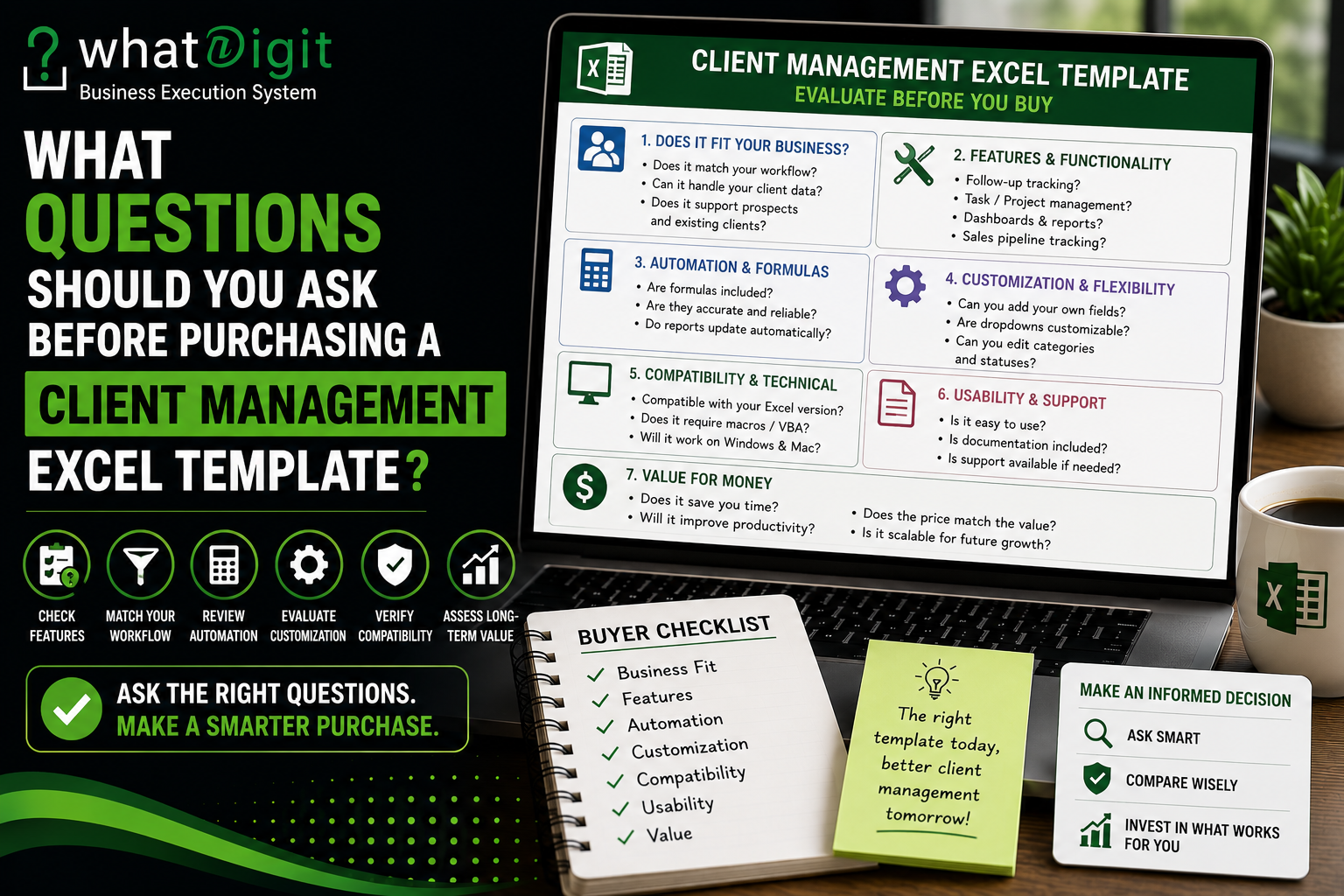
Buying a client management Excel template can save the time and effort required to build a tracking system from scratch. However, a polished preview does not guarantee that a workbook will suit your workflow. Before purchasing, evaluate its structure, features, formulas, customization options, compatibility, scalability, and ease of use. The right questions can reveal whether a template genuinely solves your client-management problems or simply looks professional. A careful evaluation also helps prevent problems caused by incompatible Excel features, difficult customization, missing documentation, or unnecessary complexity.
Why You Should Evaluate a Template Before Buying
A client management workbook can become part of everyday business operations. Once client names, contact information, follow-ups, projects, and sales records enter the system, replacing it later can create unnecessary administrative work.
Therefore, purchasing decisions should focus on functionality rather than appearance alone.
A good evaluation considers:
- What information the workbook stores
- How users enter and update records
- Which calculations happen automatically
- How reports and dashboards work
- Whether the structure can be customized
- Whether the workbook fits the business workflow
- Whether it remains practical as records increase
The goal is not to find a template containing every possible feature. Instead, the goal is to find one that handles the tasks the business actually needs.
Does the Template Match Your Client Management Workflow?
The first question should be straightforward:
Does this template match the way the business manages clients?
Different businesses have different processes. A freelancer may need contact details, project information, invoices, and follow-ups. A sales team may require lead stages, opportunity values, next actions, and account ownership. A service business may need projects, deadlines, tasks, and client approvals.
A template designed primarily for contact management may therefore be unsuitable for a business that needs project tracking.
Before purchasing, write down the stages of your current workflow.
For example:
Lead → Qualified Prospect → Proposal → Active Client → Project Delivery → Follow-Up → Renewal
Then determine whether the workbook supports those stages.
If the template requires substantial restructuring before it can represent the workflow, its apparent convenience may disappear.
What Client Information Can You Store?
Client data is the foundation of the workbook, so examine the available fields carefully.
A useful client management template may include:
- Client name
- Company
- Contact person
- Phone
- Address
- Industry
- Client status
- Account owner
- Service type
- Notes
However, more fields are not automatically better.
If employees must complete dozens of irrelevant fields every time they add a client, data entry can become unnecessarily burdensome.
The better question is whether the template provides the right fields.
A business should identify the information required for communication, account management, reporting, and decision-making, then compare those requirements with the workbook's structure.
Can You Track Prospects and Leads?
Client management often begins before someone becomes a customer.
If the business relies on sales activity, check whether the template can track prospects separately from existing clients.
Useful fields may include:
- Lead source
- Sales stage
- Opportunity value
- Probability
- Expected close date
- Next action
- Sales owner
A simple contact database may not provide enough structure for this purpose.
For example, a prospect should not necessarily be treated as an active client. Keeping these categories separate can make pipeline reporting more accurate.
Before purchasing, determine whether the template supports the distinction between prospects, active customers, inactive accounts, and lost opportunities.
Can It Track Follow-Ups?
Follow-up management is one of the most important areas to examine.
A template should make it easy to record what happened previously and what needs to happen next.
Useful fields can include:
- Last contact date
- Next follow-up date
- Follow-up type
- Assigned employee
- Priority
- Follow-up status
- Notes
Ask whether the workbook can identify upcoming and overdue follow-ups.
A date field alone may not be enough. If the template includes formulas or conditional formatting that highlight overdue activities, it may reduce the amount of manual review required.
However, verify how those calculations work before assuming they will behave correctly after customization.
Does It Include Task and Activity Tracking?
Client relationships often involve more than communication.
Employees may need to complete tasks such as:
- Prepare proposals
- Request documents
- Send contracts
- Schedule meetings
- Complete project work
- Obtain approvals
- Deliver files
- Follow up after completion
If these activities are important to the workflow, check whether the template provides task or activity tracking.
A useful task structure might include the task name, client, owner, due date, priority, status, and notes.
Without this functionality, users may still need a separate task-management system, reducing the convenience of having a centralized workbook.
Does It Support Project Management?
Project-based service businesses should ask this question specifically.
If clients have ongoing projects, check whether the workbook can track:
- Project name
- Client
- Project manager
- Start date
- Due date
- Project status
- Tasks
- Progress
- Client dependencies
A customer database and a project tracker serve different purposes.
Some templates combine both, while others focus exclusively on customer information.
Do not assume that a template labeled "client management" automatically includes project management.
Are Formulas Already Built In?
Formulas can be one of the biggest time-saving components of a structured Excel workbook.
Depending on the template, formulas may calculate:
- Client counts
- Opportunity totals
- Expected revenue
- Days since contact
- Days until follow-up
- Overdue activities
- Project progress
- Status summaries
Before purchasing, determine which calculations are automated and which require manual entry.
Also ask whether formulas continue working when new records are added.
A template that calculates correctly for sample records but requires users to manually extend formulas for every new row may create more work than expected.
Are the Formulas Easy to Maintain?
Automation has a maintenance cost.
If a workbook contains complicated formulas, users should know what happens when they modify the structure.
Important questions include:
- Are formulas clearly separated from input cells?
- Are calculated cells protected?
- Are instructions provided?
- Can rows be added safely?
- Do charts reference dynamic ranges?
- Are dropdown lists connected to formulas?
- Can categories be changed without breaking calculations?
A workbook should not require advanced spreadsheet knowledge for routine maintenance unless the buyer specifically expects that level of complexity.
Does the Dashboard Actually Add Value?
Dashboards can provide a quick management view, but their presence alone does not make a template valuable.
Look at what the dashboard actually reports.
Potential metrics include:
- Total clients
- Active clients
- Inactive clients
- Open opportunities
- Follow-ups due
- Overdue follow-ups
- Active projects
- Pipeline value
Then ask whether those metrics matter to the business.
A dashboard containing irrelevant charts can make a workbook harder to use rather than better.
The strongest dashboard is not necessarily the one with the most visual elements. It is the one that presents information managers actually use.
Can Reports Be Filtered?
Reporting becomes much more useful when users can isolate specific client groups.
Check whether the workbook allows filtering by:
- Client status
- Account owner
- Industry
- Customer tier
- Service type
- Sales stage
- Priority
- Follow-up date
For example, a manager might want to see only active premium clients with overdue follow-ups.
If the template supports structured filtering, that type of review can be performed without manually creating another spreadsheet.
How Does the Template Handle Client Status?
Client status should be clearly defined.
Potential categories include:
- Prospect
- New Client
- Active
- On Hold
- At Risk
- Inactive
- Lost
The actual categories should match the business.
Ask whether status values are controlled through dropdown lists or entered manually.
Dropdowns generally make standardization easier because employees select from predefined choices rather than creating slightly different versions of the same category.
For example, "Active," "Current," and "Active Client" may all describe the same situation but create problems for filtering and reporting if the workbook treats them as different values.
Can You Customize Dropdown Lists?
Businesses often need categories that differ from the template's original settings.
For example, one company may use:
Standard → Premium → Strategic
while another may use:
Basic → Professional → Enterprise
Before purchasing, check whether dropdown lists can be modified.
Also determine whether changing the underlying list affects formulas, dashboards, charts, or other worksheets.
A template should provide enough flexibility to adapt to the business without requiring users to rebuild the workbook.
Can You Add Your Own Fields?
Business requirements change.
A company may initially need only client status and follow-ups but later decide to track:
- Contract renewal
- Service package
- Customer tier
- Industry
- Account region
- Client acquisition source
Check whether additional columns can be added without damaging formulas or reports.
A well-structured workbook should make reasonable customization possible, but users should understand which parts of the file are intended to be modified.
How Much Customization Is Safe?
Customization should improve the workbook, not compromise it.
Before making changes, identify the relationships between:
Input Data → Formulas → Reports → Dashboard
If a dashboard depends on a specific column, deleting or renaming that column may cause errors.
Therefore, ask whether documentation explains safe customization.
This is particularly important for users who are comfortable with basic Excel but do not regularly work with advanced formulas or spreadsheet architecture.
Is the Template Easy to Use?
Usability deserves as much attention as functionality.
A workbook can contain excellent features but still fail if employees cannot navigate it efficiently.
Look for:
- Clear worksheet names
- Logical layouts
- Consistent formatting
- Easy data entry
- Visible instructions
- Clearly marked input areas
- Simple navigation
If users need to search through several complicated worksheets to add one client, adoption may suffer.
A practical template should make routine actions obvious.
Does It Include Instructions?
Instructions can significantly reduce the learning curve.
Check whether the template explains:
- Where to enter data
- How to add clients
- How dropdowns work
- How formulas operate
- How dashboards update
- How to customize categories
- Which cells should remain unchanged
This becomes increasingly important when the workbook contains automation.
Without instructions, users may accidentally overwrite formulas or modify the structure incorrectly.
Is the Template Compatible With Your Excel Version?
Compatibility should be checked before purchase.
Some workbooks may rely on features available only in newer Excel versions or Microsoft 365.
Others may use:
- Advanced formulas
- Dynamic arrays
- Macros
- VBA
- Power Query
- Power Pivot
A workbook that depends on functionality unavailable in your environment may not work correctly.
Therefore, verify compatibility with the Excel version and operating system used by the business.
Does It Require Macros or VBA?
Macros can automate certain workflows, but they also introduce additional considerations.
Ask:
- Does the workbook require macros?
- Are macros enabled by default?
- Are they necessary for core functionality?
- Are instructions provided?
- Will the workbook work without them?
A business that does not want macro-enabled files may prefer a formula-based workbook.
There is no universal answer that macros are good or bad. The right choice depends on the workflow and technical environment.
Can the Template Handle Your Expected Number of Records?
Scalability matters because a workbook that works with a small client list may become inconvenient as the database grows.
Consider the expected number of:
- Clients
- Contacts
- Projects
- Tasks
- Activities
- Opportunities
Also check how the workbook behaves when more records are added.
A well-designed structure should make expansion reasonably straightforward.
However, Excel has practical limitations. Businesses with very large datasets, extensive collaboration requirements, complex permissions, or substantial integrations may eventually need a dedicated CRM or database system.
Will Multiple Employees Use It?
A template designed for one user may not be suitable for a team.
If multiple employees will update the workbook, consider:
- Shared access
- Editing conflicts
- Data consistency
- Account ownership
- Responsibility fields
- Version control
- File storage
- Permissions
A spreadsheet can support collaborative workflows in suitable environments, but it does not automatically provide the same controls as specialized business software.
Therefore, team usage should be considered before purchasing.
Can You Track Account Ownership?
Account ownership can be important when several employees manage clients.
A useful field might identify:
Account Owner
This can support reporting by employee and make responsibilities clearer.
For example, management may want to filter all active clients assigned to a particular account manager.
If the workbook does not support ownership, the team may need to maintain that information elsewhere.
Does It Support Client Segmentation?
Segmentation can help businesses analyze different groups of customers.
Potential segmentation fields include:
- Customer tier
- Industry
- Location
- Service type
- Account size
- Client status
- Acquisition source
Before purchasing, ask whether the workbook can filter and report on these categories.
Segmentation is particularly useful when different client groups receive different services, priorities, or communication strategies.
Does the Reporting Match Your Business Decisions?
This question is often overlooked.
A report should exist for a reason.
Ask:
What decision will this report help us make?
For example:
A follow-up report may help prioritize communication.
A pipeline report may help review sales opportunities.
A project report may help identify approaching deadlines.
A client-status report may help identify inactive accounts.
If a dashboard contains metrics that do not influence any decision, those features may have limited practical value.
How Is Data Accuracy Protected?
A template's structure can influence data quality.
Useful features may include:
- Dropdown lists
- Data validation
- Consistent date formats
- Required fields
- Structured tables
- Protected formulas
- Duplicate-prevention practices
Ask whether the workbook helps users enter information consistently.
However, no spreadsheet can eliminate all data-quality problems. Employees still need clear procedures and regular reviews.
How Easy Is It to Maintain the Data?
Client information changes.
Contacts leave companies. Phone numbers change. Projects end. Accounts become inactive. Employees change responsibilities.
Therefore, ask how easy it is to update existing records.
A useful workbook should make routine maintenance manageable.
If updating one client's information requires changing multiple worksheets manually, the system may become difficult to maintain.
A centralized client database with linked reporting views can often reduce duplication.
Is There Unnecessary Complexity?
More functionality can create more maintenance.
A template may include dozens of dashboards, charts, formulas, and worksheets, but that does not mean those features will improve the business.
Ask whether each major component has a clear purpose.
Warning signs include:
- Too many unrelated worksheets
- Complicated dashboards
- Excessive data-entry fields
- Difficult formulas
- Features unrelated to the workflow
- Unclear instructions
A smaller workbook that employees use correctly can be more valuable than an advanced workbook that nobody maintains.
Is a Free Template Enough?
Before paying for a template, compare the paid features with actual needs.
A free workbook may be sufficient if the business only requires:
- Client names
- Contact information
- Status
- Follow-up dates
- Notes
A paid option may make more sense when the business needs:
- Automated formulas
- Dashboards
- Project tracking
- Sales pipeline management
- Advanced reporting
- Segmentation
- Customization
- More structured workflows
The objective should be to pay for meaningful functionality, not simply for a larger feature list.
What Exactly Justifies the Price?
Price should be evaluated against practical value.
Ask what the paid template provides that would otherwise require time or technical work to create.
Potential value can come from:
- Ready-built formulas
- Preconfigured dashboards
- Structured tables
- Reporting systems
- Data validation
- Customizable workflows
- Documentation
- Professional layout
For someone planning to buy Client Management Excel Template online in USA, the key question is not whether the template is cheap or expensive. The better question is whether its functionality justifies the cost compared with building and maintaining an equivalent workbook internally.
Is the Template Flexible Enough for Future Needs?
Purchasing decisions should consider more than immediate requirements.
A business may currently need client tracking but later require project management, segmentation, pipeline reporting, or renewal tracking.
Ask whether the workbook can accommodate reasonable changes.
A flexible structure can extend its useful life.
However, avoid buying advanced features solely because they might become useful someday. Future flexibility matters, but unnecessary complexity has a current cost.
Can You Review the Actual Workbook Before Purchase?
If a seller provides a preview, use it carefully.
Look beyond the marketing image.
If possible, review:
- Sample worksheets
- Data-entry screens
- Dashboard behavior
- Formula examples
- Dropdown lists
- Instructions
- Compatibility information
- Customization options
Screenshots can show design, but they cannot always reveal how a workbook behaves.
The more important question is whether the underlying structure matches your requirements.
What Are the Template's Limitations?
A trustworthy purchasing decision should consider limitations as well as benefits.
Ask:
- What does the template not do?
- Does it require manual updates?
- Are some features optional?
- Does it depend on Microsoft 365?
- Does it use macros?
- Is collaboration limited?
- Can the dashboard be customized?
- Is there a maximum practical record volume?
Knowing limitations before purchase is better than discovering them after the workbook becomes part of the business process.
What Should You Test After Purchase?
Once you obtain a template, test it before entering important client information.
Create several sample records and check:
- Add a new client.
- Change the client status.
- Enter a follow-up date.
- Mark a follow-up complete.
- Add an opportunity.
- Change an account owner.
- Filter the client database.
- Review the dashboard.
- Add additional records.
- Confirm that formulas and reports still work.
Testing can reveal structural issues before the workbook contains important operational data.
A Practical Buyer Checklist
Before purchasing, confirm that the template answers these questions clearly:
- Does it match the business workflow?
- Does it store the required client information?
- Can it track prospects and existing clients?
- Does it support follow-ups?
- Can it manage tasks or projects if needed?
- Are formulas automated?
- Are formulas maintainable?
- Does the dashboard provide useful information?
- Can reports be filtered?
- Can dropdowns be customized?
- Can additional fields be added?
- Is Excel compatibility confirmed?
- Are instructions included?
- Can the workbook scale with the business?
- Does the price reflect meaningful functionality?
If several answers are unclear, more evaluation is warranted before making the purchase.
Common Purchasing Mistakes
Buyers often focus too heavily on visual presentation.
That can lead to several avoidable mistakes.
Choosing Based on Screenshots
A beautiful dashboard does not prove that the workbook is well structured.
Buying Too Many Features
Unused functionality can increase complexity.
Ignoring Compatibility
Advanced formulas or macros may not work in every Excel environment.
Failing to Check Customization
A template may look suitable but use fixed categories that do not match the business.
Assuming Automation Is Universal
Different templates use different formulas and automation methods.
Ignoring Data Maintenance
A workbook requires regular updates to remain useful.
Treating Excel as an Unlimited CRM
Excel can be highly flexible, but it has practical limitations for large, complex, highly collaborative systems.
When an Excel Template Is a Good Choice
An Excel-based client management system can be practical for freelancers, entrepreneurs, small businesses, consultants, service providers, and teams with manageable data volumes.
It can provide a flexible middle ground between an unstructured spreadsheet and a specialized CRM platform.
The strongest use case is generally a workflow that benefits from structured client information but does not yet require extensive system integrations, advanced permissions, or highly complex automation.
When You Should Consider Something More Advanced
A dedicated CRM or business system may become more appropriate when the organization needs:
- Large-scale collaboration
- Detailed communication histories
- Advanced permissions
- Automated workflows
- Multiple integrations
- Extensive reporting
- Centralized cloud infrastructure
- Complex customer journeys
This does not make Excel inadequate. It simply means the operational requirements have moved beyond what a spreadsheet can conveniently provide.
Final Questions to Ask Yourself
Before making the purchase, step back from the feature list and ask three broader questions.
Will this save meaningful setup or administrative work?
If the answer is yes, the template may provide practical value.
Will employees actually use it consistently?
If the workbook is too complicated, adoption may become a problem.
Will the template remain useful as the business grows?
If reasonable expansion will require rebuilding the workbook, the initial convenience may have limited long-term value.
These questions help evaluate the purchase from an operational perspective rather than an emotional one.
Conclusion
Purchasing a client management Excel template should involve more than checking whether the workbook looks professional. Buyers should examine its client fields, follow-up capabilities, formulas, dashboards, customization, compatibility, scalability, documentation, and maintenance requirements. A premium template can be worthwhile when it solves real workflow problems and reduces unnecessary spreadsheet development. However, a free or simpler workbook may be the better choice when requirements are limited. The strongest purchase is the one that fits the business rather than the one with the longest feature list.
Frequently Asked Questions
What should I check first before purchasing a client management Excel template?
Start with workflow fit. Determine whether the workbook supports the information and activities your business actually manages, including clients, contacts, prospects, follow-ups, projects, tasks, and reporting. After that, evaluate formulas, customization, compatibility, documentation, scalability, and usability. This prevents attractive but unsuitable templates from influencing the decision.
Is a premium client management Excel template worth buying?
A premium template can be worthwhile when it provides meaningful functionality that would take significant time to build independently. Dashboards, formulas, structured databases, reporting, follow-up tracking, and customization may justify the cost. However, a paid template is not automatically better than a free one. The decision should depend on actual workflow requirements.
How do I know whether a template is compatible with my version of Excel?
Check the stated Excel requirements before purchasing. Pay particular attention to Microsoft 365 dependencies, newer formulas, dynamic arrays, macros, VBA, Power Query, and Power Pivot. If compatibility information is unclear, treat that uncertainty as a purchasing risk. A workbook that relies on unavailable features may require modification or fail to operate properly.
Should I buy a template with macros?
Macros are not automatically necessary or undesirable. They can automate certain repetitive processes, but they also introduce additional technical and security considerations. If the workbook's core functions can operate through standard formulas and tables, a non-macro design may be easier to maintain. The decision should depend on the specific automation the business requires.
Can I customize a client management Excel template after purchasing it?
Many templates allow customization, but the degree of flexibility varies. Users may be able to add fields, change dropdown values, modify categories, or adjust reports. Before making changes, determine which cells contain formulas and which dashboard elements depend on specific ranges. Improper structural changes can cause calculation or reporting problems.
What features are most important in a client management Excel template?
The most important features depend on the workflow. Common priorities include structured client records, contact management, status tracking, follow-ups, tasks, activity history, filtering, and reporting. Project-based businesses may also need project tracking, while sales teams may require pipeline management. Choose features based on actual operational requirements rather than feature quantity.
Is a free client management Excel template enough for a small business?
It can be. A small business with a limited number of clients and straightforward requirements may only need contact information, client status, follow-up dates, and notes. Paying for advanced dashboards or automation may provide little additional value if those functions will not be used. Evaluate the complexity of the workflow before deciding.
How can I tell whether an Excel template is scalable?
Check how new records are added and whether formulas, tables, charts, and dashboards update automatically. Also consider expected client, project, task, and activity volumes. A template may work well for a small database but become cumbersome as records increase. Scalability should be evaluated against realistic business growth rather than unlimited future requirements.
What makes a client management Excel template easy to use?
Ease of use comes from clear layouts, logical worksheet organization, straightforward data entry, consistent formatting, useful dropdowns, understandable instructions, and visible separation between input and calculated cells. Employees should be able to complete routine actions without constantly examining formulas or searching through complicated worksheets.
What should I do after purchasing a client management Excel template?
Test the workbook with sample data before entering important records. Add clients, modify statuses, enter follow-ups, create opportunities, filter records, and review dashboards. Confirm that formulas and reports continue working when records change. Testing early can reveal compatibility or structural problems before the template becomes part of everyday business operations.
Comments (0)