


Customer relationships rarely become stronger simply because a business has a large contact list.
The real challenge is knowing which customers need attention, what has already happened, what should happen next, and how each relationship fits into the broader business strategy.
That is where customer relationship planning becomes important.
A well-structured client management Excel template can provide a practical way to organize customer information, interaction history, follow-up activities, sales opportunities, priorities, and future actions in one place. Instead of treating customer management as a collection of disconnected contacts, businesses can use structured information to plan how relationships should be developed and maintained.
Excel is not a replacement for every CRM platform. Businesses with complex automation, advanced collaboration, or large-scale customer databases may eventually need dedicated CRM software. But for freelancers, consultants, small businesses, agencies, and growing sales teams, a properly designed Excel template can provide a flexible and relatively simple foundation for customer relationship planning.
What Is Customer Relationship Planning?
Customer relationship planning is the process of deliberately managing interactions with customers and prospects over time.
It involves understanding:
- Who the customer is
- What they currently need
- What has already been discussed
- What products or services they use
- What opportunities exist
- When they should be contacted
- Who is responsible for the relationship
- What action should happen next
- How the relationship is progressing
This is different from simply maintaining contact information.
A contact database tells you who someone is.
Relationship planning helps you determine how you should manage the relationship.
A client management Excel template can connect these two areas by combining customer information with activities, follow-ups, opportunities, and planning data.
Why Customer Relationship Planning Matters
Businesses often lose opportunities not because customers are unhappy, but because nobody follows through consistently.
A client may have mentioned a future requirement during a meeting. A prospect may have requested pricing. An existing customer may be ready for another service. A renewal date may be approaching.
If these details are not recorded, they can disappear into email threads or individual memory.
Customer relationship planning creates a more deliberate process.
Instead of relying on memory, the business can record:
Customer → Current Situation → Opportunity → Next Action → Follow-Up Date → Responsible Person
That structure makes relationships easier to manage systematically.
How Excel Supports Customer Relationship Planning
A client management Excel template can act as a centralized planning workspace.
Depending on the template, it may contain separate sections for:
- Client database
- Lead management
- Sales pipeline
- Communication history
- Follow-ups
- Tasks
- Opportunities
- Customer status
- Account priorities
- Revenue information
- Dashboards
The goal is not to create as many worksheets as possible.
The goal is to create a logical flow of information.
For example:
Client Database → Interaction History → Current Status → Next Action → Follow-Up → Opportunity
That structure gives the business a clearer picture of where each customer relationship stands.
1. Build a Complete Customer Profile
Relationship planning starts with accurate customer information.
A client management template can provide a standardized profile for every customer.
Useful fields may include:
- Customer or company name
- Primary contact
- Phone number
- Location
- Industry
- Customer type
- Lead source
- Account owner
- Current status
- Products or services purchased
- Customer value
- Last interaction
- Next follow-up
- Notes
The exact fields should depend on the business.
A consulting firm may need information about active engagements, while a digital agency may need service packages, renewal dates, project status, and account ownership.
The important thing is consistency.
If every customer is recorded using the same basic structure, the business can compare, filter, and prioritize relationships more effectively.
2. Separate Customers From Prospects
Not every contact should be treated the same way.
A client management template can distinguish between:
- New leads
- Qualified prospects
- Active customers
- Repeat customers
- High-value accounts
- Inactive customers
- Former customers
This classification is useful because each group may require a different relationship strategy.
For example, a new lead may need qualification, while an existing customer may need retention or cross-selling.
Without segmentation, businesses may spend too much time treating every contact as equally important.
3. Record Customer Interaction History
Relationship planning becomes difficult when the team cannot remember what happened previously.
A communication log can record:
- Interaction date
- Contact person
- Communication method
- Discussion topic
- Customer response
- Requirements
- Objections
- Promises made
- Action required
- Next follow-up date
This creates continuity.
If a salesperson speaks to a customer today and another employee handles the next interaction, the second person can review the history instead of asking the customer to repeat everything.
That can make the relationship feel more organized and professional.
4. Track the Next Action
One of the most useful fields in a customer relationship system is Next Action.
Many businesses record what happened but fail to record what should happen next.
For example:
Last Interaction: Discussed annual service renewal.
That is useful historical information.
But:
Next Action: Send renewal proposal
Follow-Up: September 2
Owner: Account Manager
is actionable.
Customer relationship planning is ultimately about future activity, not just historical records.
A good template should therefore make the next action easy to record and easy to find.
5. Schedule Follow-Ups
Follow-up planning is one of the strongest practical uses of a client management Excel template.
A business can record:
- Follow-up date
- Follow-up type
- Responsible person
- Priority
- Status
- Notes
The workbook can then categorize activities as:
- Due today
- Upcoming
- Overdue
- Completed
- Postponed
Conditional formatting can make important records easier to identify.
For example, overdue follow-ups can be highlighted automatically.
This does not guarantee that employees will complete them. It simply removes one major source of operational blindness: not knowing which activities require attention.
6. Prioritize Important Customer Relationships
Not every customer has the same strategic value.
A relationship-planning system can help businesses categorize customers based on factors such as:
- Revenue
- Purchase frequency
- Growth potential
- Strategic importance
- Service requirements
- Renewal likelihood
- Engagement level
For example, a business might categorize accounts as:
Strategic
High Value
Growth
Standard
Low Activity
These categories can help determine how frequently each customer should receive attention.
However, businesses should avoid creating overly complicated scoring systems unless they will actually use them.
A simple, consistent classification is often more useful than a complicated model that nobody maintains.
7. Identify Upselling and Cross-Selling Opportunities
Customer relationship planning is not only about preventing problems.
It can also identify opportunities to create additional value.
Suppose a customer currently purchases one service but has a clear need for another service offered by the business.
The opportunity can be recorded in the client management template.
Possible fields include:
- Customer
- Existing service
- Potential service
- Opportunity value
- Opportunity stage
- Expected date
- Next action
- Probability
This allows sales and account-management teams to incorporate growth opportunities into relationship planning.
The important point is to base opportunities on actual customer needs rather than treating every customer as a target for another sale.
8. Track Customer Status Over Time
Customer relationships change.
A customer may move from:
New → Active → Growing → At Risk → Inactive
Tracking these changes can help businesses identify accounts requiring attention.
For example, a previously active customer who has not interacted with the business for several months may deserve a proactive check-in.
A status field can make such changes easier to identify.
Why This Matters
Without historical context, an inactive customer may simply appear as another row in a database.
With structured relationship information, inactivity becomes a signal that may require investigation.
9. Use Customer Segmentation for Better Planning
Segmentation allows businesses to group customers based on meaningful characteristics.
Possible segments include:
- Industry
- Location
- Company size
- Customer type
- Service category
- Purchase behavior
- Revenue tier
- Relationship stage
Once customers are segmented, businesses can plan communication and engagement more systematically.
For example, a company may decide that high-value customers receive monthly account reviews while standard customers receive quarterly check-ins.
The spreadsheet becomes a planning tool rather than merely a record-keeping tool.
10. Manage Customer Tasks and Responsibilities
Relationship management often involves multiple tasks.
Examples include:
- Send proposal
- Schedule meeting
- Prepare report
- Follow up on payment
- Share documentation
- Check renewal
- Resolve issue
- Request feedback
A task tracker can connect each task with:
- Customer
- Owner
- Priority
- Due date
- Status
- Notes
This creates accountability.
A task without an owner can easily become everyone's responsibility and therefore nobody's responsibility.
Customer Relationship Planning With a Dashboard
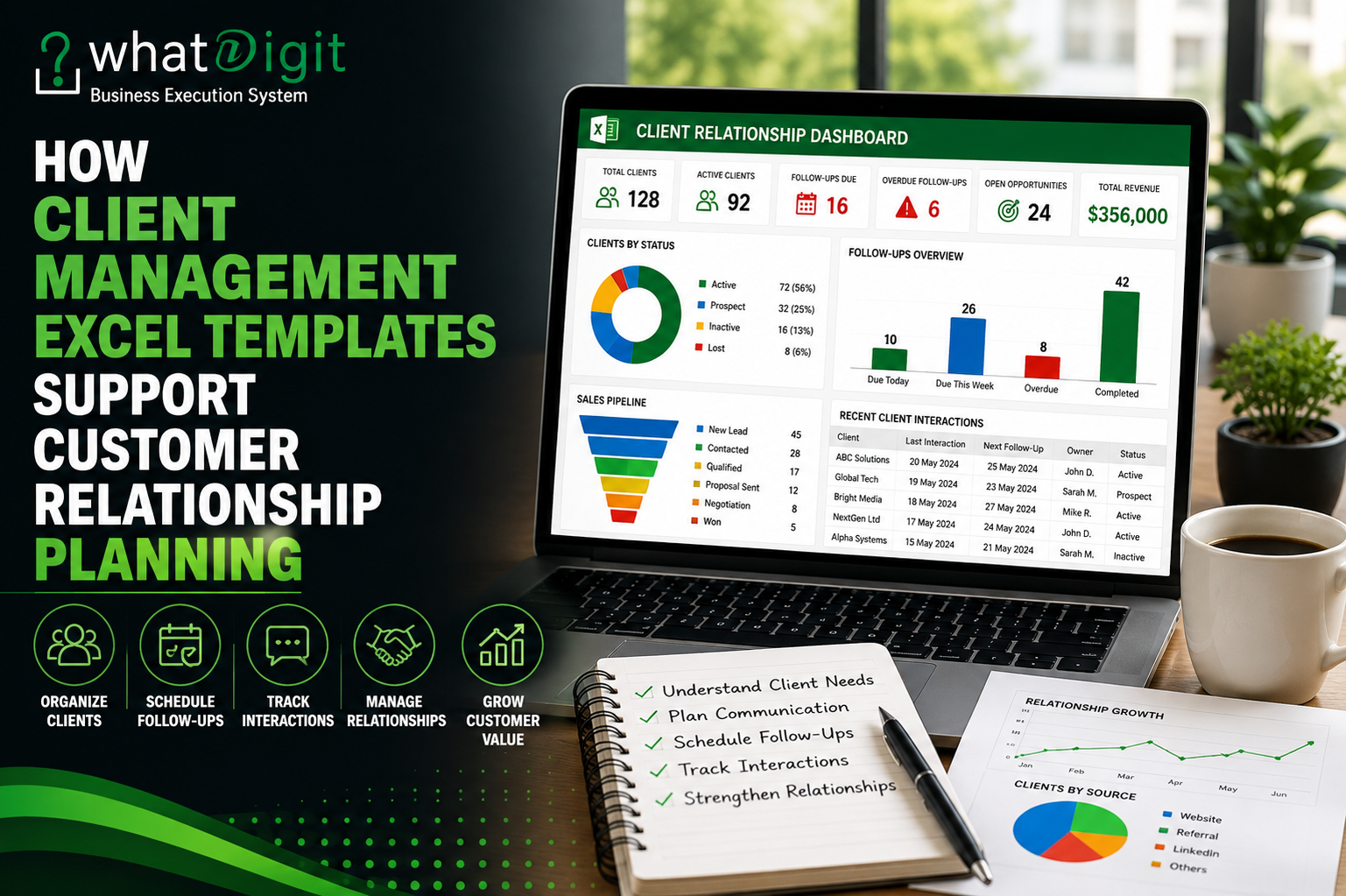
A dashboard can make customer relationship information easier to understand at a glance.
A useful dashboard might show:
- Total customers
- Active customers
- New customers
- At-risk accounts
- Follow-ups due
- Overdue activities
- Open opportunities
- Customer segments
- Revenue by customer category
- Customer growth trends
The dashboard should focus on information that supports decisions.
A dashboard containing dozens of charts may look impressive but can actually make decision-making harder.
Which KPIs Are Useful?
Useful relationship-planning KPIs may include:
Customer Count
How many active customers currently exist?
New Customers
How many customers were added during a specific period?
At-Risk Customers
Which accounts may require attention?
Follow-Ups Due
How many customer activities require action?
Overdue Follow-Ups
How many planned interactions have not been completed?
Open Opportunities
Which customers or prospects have potential future revenue?
Customer Value
Which relationships contribute significant revenue?
Activity Level
Which customers have received recent attention?
The right KPIs depend on the business model.
Use Customer Notes Without Creating Information Overload
Notes are useful, but unstructured notes can become difficult to search and interpret.
Instead of writing long paragraphs for every interaction, businesses can use structured fields alongside concise notes.
For example:
Topic: Renewal
Customer Need: Lower annual cost
Action: Prepare revised proposal
Follow-Up: September 5
This is easier to scan than a large block of text.
The objective is not to document every word of every conversation.
The objective is to preserve information that matters for future relationship management.
Automate Repetitive Relationship Calculations
Excel formulas can reduce repetitive administrative work.
A client management template may automatically calculate:
- Days since last interaction
- Days until next follow-up
- Customer age
- Account duration
- Follow-up status
- Opportunity totals
- Customer counts
- Activity counts
- Revenue summaries
For example, a formula can identify customers who have not been contacted for a specified period.
That allows users to filter accounts requiring attention without manually checking every date.
Use Conditional Formatting to Highlight Relationship Risks
Conditional formatting can make important information visible without requiring users to inspect every record.
Examples include highlighting:
- Overdue follow-ups
- Inactive customers
- Upcoming renewals
- High-priority accounts
- Large opportunities
- Missing next actions
This is particularly useful when a client database becomes large.
But visual alerts should remain limited. If everything is highlighted, nothing appears important.
Create a Relationship Review Process
A template is more effective when supported by a regular review routine.
For example, a weekly customer relationship review could include:
Step 1: Review Overdue Follow-Ups
Identify activities that were not completed.
Step 2: Review Upcoming Activities
Check the next seven or fourteen days.
Step 3: Review At-Risk Accounts
Look for declining activity or unresolved issues.
Step 4: Review Opportunities
Identify potential sales, renewals, or expansions.
Step 5: Assign Actions
Ensure every important relationship has a clear owner and next action.
Step 6: Update the Dashboard
Confirm that the underlying data is current.
This turns the Excel template into part of the operating rhythm rather than another file employees occasionally open.
Customer Relationship Planning Is More Than Sales
A common mistake is treating customer management entirely as a sales function.
Customer relationships also involve:
- Service delivery
- Customer support
- Renewals
- Feedback
- Retention
- Account management
- Issue resolution
- Customer success
A well-designed client management template can support these areas by giving the business a broader view of the customer relationship.
For example, a customer who has recently complained about service may need a different relationship strategy from a new prospect.
How Templates Help With Customer Retention
Retention often depends on consistent attention.
A business may identify customers who:
- Have not been contacted recently
- Have unresolved issues
- Have approaching renewals
- Have declining activity
- Have reduced purchases
- Have requested additional support
These signals can be tracked in Excel and reviewed periodically.
The template does not determine whether a customer will leave. It helps the business notice situations that deserve attention.
That distinction is important.
Customer Relationship Planning for Small Businesses
Small businesses often have limited administrative resources.
They may not need a complex CRM platform immediately, but they still need a reliable way to manage customer relationships.
A client management Excel template can be useful because it is:
- Familiar
- Flexible
- Easy to customize
- Relatively inexpensive
- Suitable for structured data
- Useful for reporting
For a small business with a manageable customer base, this can be a practical starting point.
As the business grows, however, it should reassess whether Excel continues to meet its requirements.
When Excel Starts Becoming a Limitation
Excel has real limitations.
A business may eventually need dedicated CRM software when it requires:
- Advanced automation
- Email integration
- Multiple simultaneous users
- Detailed permissions
- Mobile workflows
- Automated customer journeys
- Extensive integrations
- Large customer databases
- Complex reporting
- Audit trails
The goal should not be to force Excel to become a CRM platform.
Use Excel where it provides sufficient control and simplicity. Move to specialized software when the workflow genuinely demands it.
How to Choose a Client Management Excel Template for Relationship Planning
Before purchasing a template, evaluate the workflow rather than just the appearance.
Check whether the template allows you to:
- Store complete customer profiles.
- Segment customers.
- Record interactions.
- Schedule follow-ups.
- Track next actions.
- Assign responsibilities.
- Monitor opportunities.
- Identify inactive or at-risk accounts.
- Review customer KPIs.
- Customize categories and statuses.
- Add new records without breaking formulas.
- Understand how the workbook works through instructions.
A visually impressive template with poor data structure is not a good investment.
Free vs. Premium Client Management Excel Templates
Free templates can be sufficient for simple relationship tracking.
They may provide:
- Contact lists
- Basic notes
- Follow-up dates
- Simple status fields
Premium templates may provide additional functionality such as:
- Integrated customer databases
- Automated calculations
- Dashboards
- Sales pipelines
- Follow-up systems
- Advanced reporting
- Customizable dropdowns
- Structured communication logs
- Documentation
The premium option is worthwhile only when those features solve actual business problems.
Common Mistakes in Customer Relationship Planning
Even a strong template can fail if the process is poorly managed.
Avoid these mistakes:
Treating the Template as a Contact List
Customer relationship planning requires more than names and phone numbers.
Leaving Next Actions Blank
An active customer relationship should generally have a clear next step when action is required.
Recording Everything but Planning Nothing
Historical information is useful, but future actions are what move relationships forward.
Using Too Many Customer Categories
Complex segmentation can make the system harder to maintain.
Failing to Update Customer Status
Old statuses produce misleading reports.
Ignoring Inactive Accounts
Customers can gradually disengage without making a formal complaint.
Building a Dashboard From Inaccurate Data
A polished dashboard does not fix poor source information.
10 Frequently Asked Questions
What is customer relationship planning?
Customer relationship planning is the process of organizing and managing customer interactions, needs, follow-ups, opportunities, responsibilities, and future actions. It helps businesses manage relationships proactively rather than relying on memory or scattered communication records.
Can Excel be used for customer relationship planning?
Yes. Excel can support customer relationship planning through structured customer databases, communication logs, follow-up trackers, task lists, sales pipelines, and dashboards. It is particularly practical for small and medium-sized workflows that do not require advanced CRM functionality.
What should a customer relationship Excel template include?
A useful template can include customer profiles, contact information, relationship status, interaction history, follow-up dates, next actions, account owners, opportunities, customer segments, tasks, and reporting. The exact structure should reflect the organization's workflow.
How does Excel help improve customer relationships?
It can improve consistency by making customer information and planned actions easier to access. Teams can see previous interactions, upcoming follow-ups, customer status, and responsibilities in one place. This can reduce forgotten activities and improve continuity.
Can an Excel template track customer follow-ups?
Yes. Follow-up fields can include the date, activity type, owner, status, priority, and notes. Conditional formatting and formulas can also highlight upcoming or overdue activities.
Can Excel identify at-risk customers?
It can help identify potential risk indicators such as long periods without contact, overdue activities, declining activity, approaching renewals, or unresolved issues. However, these are signals rather than definitive predictions of customer churn.
Is a dashboard necessary for customer relationship planning?
Not always. A dashboard becomes valuable when managers need to monitor customer activity, follow-ups, opportunities, segments, and account health across many records. Smaller businesses may prefer a simpler tracker.
Can a client management Excel template track sales opportunities?
Yes. Opportunity fields can include sales stage, estimated value, probability, expected close date, owner, next action, and status. This allows relationship planning and sales pipeline management to work together.
How often should customer information be updated?
Important customer information should be updated whenever a meaningful interaction or change occurs. Businesses should also conduct regular reviews to identify outdated records, overdue activities, inactive accounts, and upcoming opportunities.
When should a business move from Excel to CRM software?
A business should consider dedicated CRM software when it needs advanced automation, collaboration, integrations, permissions, mobile functionality, or greater scalability than Excel can reliably provide. The transition should be based on actual operational requirements rather than business size alone.
Conclusion
Client management Excel templates can support customer relationship planning by turning scattered customer information into a structured system for managing relationships over time.
The strongest templates connect customer profiles, interaction history, segmentation, follow-ups, next actions, responsibilities, opportunities, and reporting.
That structure helps businesses move from reactive customer management to more deliberate relationship planning.
But the spreadsheet itself is not the strategy.
A template cannot understand a customer, build trust, solve a service problem, or create a meaningful relationship. It can only provide the structure that helps a team remember what matters and act consistently.
The most effective approach is simple:
Know the customer. Understand the relationship. Record what happened. Define what happens next. Assign responsibility. Follow through. Review the relationship regularly.
When those habits are supported by a well-designed client management Excel template, Excel becomes more than a place to store customer data. It becomes a practical planning tool for managing customer relationships with greater clarity and consistency.
Comments (0)