


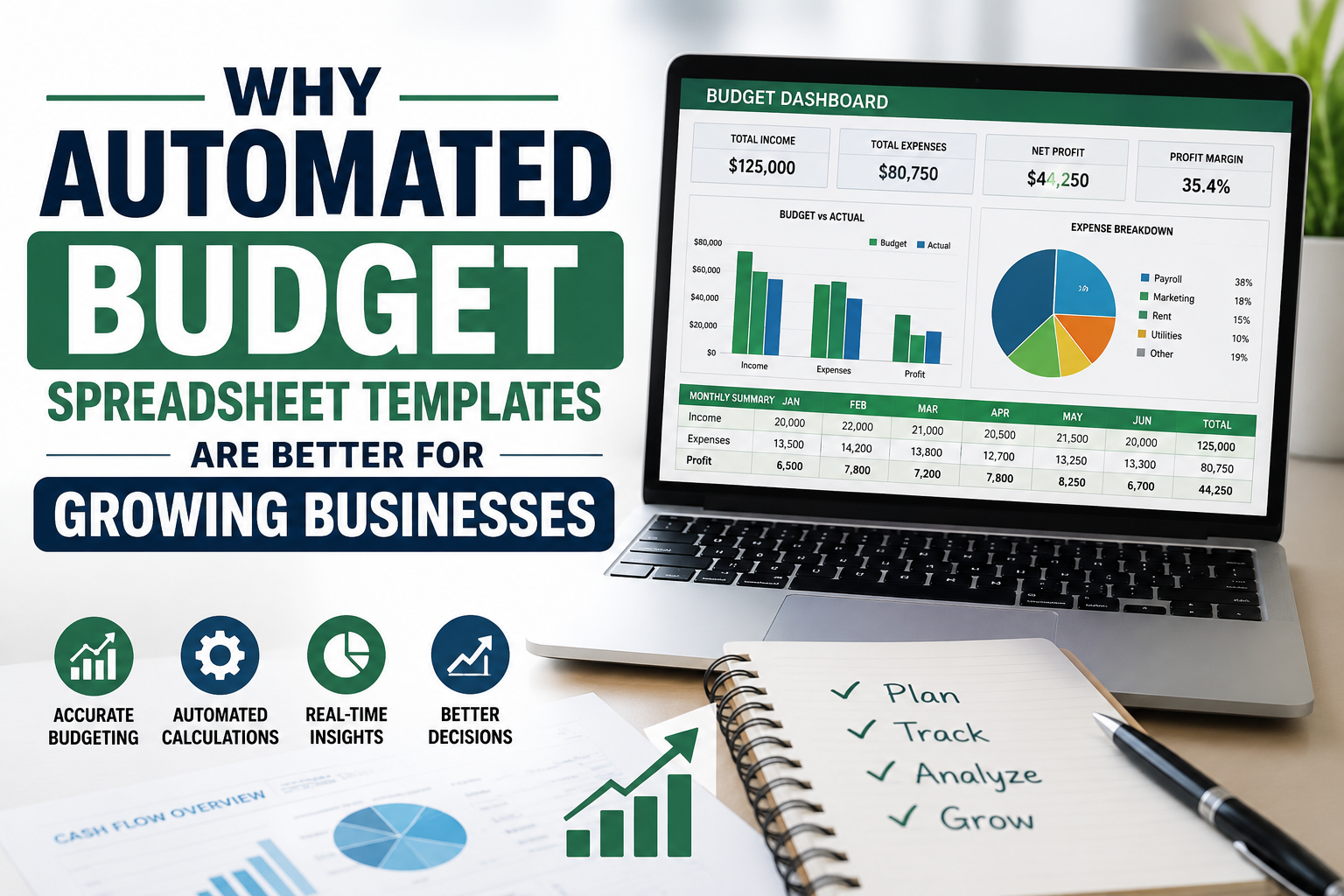
Learn which client management Excel features justify the price, from follow-up tracking and automation to dashboards, customization, scalability, and usability.
A client management Excel template is worth paying for when it solves real workflow problems rather than simply adding attractive formatting. The strongest templates organize client information, track prospects, manage follow-ups, monitor activities, and turn spreadsheet data into useful business information. Price alone does not determine value. A lower-cost template can be inefficient, while a more expensive option may contain unnecessary complexity. The right evaluation focuses on functionality, usability, automation, flexibility, data accuracy, and long-term fit with the way a business manages relationships.
What Determines the Value of a Client Management Excel Template?
The value of a client management spreadsheet comes from how effectively it supports daily work. A professionally structured template should reduce repetitive administration, make important information easier to locate, and provide a reliable way to track client interactions. Therefore, buyers should evaluate the workflow the spreadsheet supports rather than judging it primarily by its appearance.
A useful template connects related activities. Client details, communication records, follow-up dates, sales stages, tasks, and reporting should work together instead of existing as disconnected lists. Consequently, the spreadsheet becomes a working management system rather than a simple contact sheet.
Functionality That Solves Practical Problems
A basic spreadsheet may contain columns for names, email addresses, phone numbers, and notes. That structure can work for a very small client list, but it becomes limited when the business needs active relationship management.
Higher-value functionality may include:
- Client and contact databases
- Lead and prospect tracking
- Sales pipeline stages
- Follow-up dates and statuses
- Task and activity records
- Communication history
- Priority indicators
- Revenue or opportunity tracking
- Dashboard summaries
- Automated calculations
- Search and filtering tools
Each feature should have a practical purpose. For example, a follow-up field becomes more valuable when overdue items can be identified quickly. Similarly, a pipeline becomes more useful when opportunities can be grouped by stage, expected value, or responsible team member.
Structure Matters More Than Decoration
Visual design can improve usability, but formatting does not compensate for poor structure. A template with attractive colors and graphics may still create unnecessary work if users cannot easily enter, filter, update, or retrieve information.
A stronger design normally separates input areas from calculated results and reporting sections. Clearly labeled columns reduce ambiguity, while consistent data formats make filtering and formulas more dependable.
Moreover, logical organization reduces maintenance problems. If every client record follows the same structure, users can add new information without constantly redesigning the spreadsheet.
Client Data Organization and Contact Management
Client management starts with accurate information. A spreadsheet should provide enough structure to store useful client details without forcing users to maintain scattered records across multiple worksheets or files.
A practical contact-management section may contain:
- Client or company name
- Primary contact
- Email address
- Phone number
- Location
- Client type
- Lead source
- Account owner
- Status
- Last contact date
- Next follow-up date
- Notes
The exact fields should reflect the business process. A consulting business may need project-related information, while a sales organization may require lead source, opportunity value, and sales stage.
Why Consistent Data Entry Matters
Inconsistent entries can weaken reporting. For instance, if one employee records a status as “Active,” another uses “active client,” and a third writes “Current,” filtering becomes less reliable.
Dropdown lists, standardized fields, and clearly defined categories can reduce this problem. Consequently, a well-designed template can provide greater value than a blank workbook even when both use the same spreadsheet software.
Data maintenance also matters over time. A template should make it reasonably simple to update contact information, change statuses, archive inactive records, and add new clients without damaging formulas or reports.
Follow-Up Tracking Prevents Important Tasks From Being Forgotten
Missed follow-ups are often a workflow problem rather than a memory problem. When client conversations, reminders, and next actions exist only in email threads, notebooks, or individual calendars, important tasks can become difficult to see collectively.
A client management Excel template can create a central follow-up record. Each client can have a next-action date, follow-up status, assigned person, priority, and relevant notes.
How Follow-Up Tracking Works
A practical follow-up workflow might include:
- Record the latest client interaction.
- Enter the next required action.
- Assign a follow-up date.
- Identify the responsible person.
- Mark the task as pending, completed, postponed, or canceled.
- Review upcoming and overdue activities regularly.
Conditional formatting can make overdue items more visible. Formula-driven status fields can also categorize records according to dates or completion states.
The value comes from visibility. A salesperson does not need to remember every conversation when the spreadsheet clearly shows which contacts require attention and when action is due.
Follow-Up Data Also Improves Accountability
For teams, follow-up tracking provides another benefit: responsibility becomes clearer. Instead of asking which employee owns a client or whether someone contacted a prospect, the relevant fields can show the assigned owner and latest activity.
However, the spreadsheet only helps when users maintain it consistently. No formula can compensate for missing or outdated information.
Sales Pipeline Management Adds Significant Value
Businesses that manage leads or opportunities can gain more from a template that includes pipeline functionality. A contact database answers who the client is; a pipeline helps answer where a prospect currently stands in the sales process.
Typical stages might include:
- New lead
- Qualified
- Contacted
- Proposal sent
- Negotiation
- Won
- Lost
The stages should match the actual sales process rather than copying a generic structure.
Pipeline Visibility Supports Better Prioritization
A pipeline can show which opportunities require immediate attention and which remain in earlier stages. Adding expected value, probability, close date, and account owner can provide additional context.
For example, a service business may have several proposals outstanding. A pipeline view can help identify which proposals have upcoming decision dates and which prospects have received no recent activity.
That does not guarantee sales growth, but it can make the sales workflow more visible and easier to manage.
Automation Can Justify a Higher Price
Automation is one of the clearest differences between a basic spreadsheet and a professionally built template. Manual calculations and repetitive updates consume time and create opportunities for inconsistent results.
Useful automation may include formulas that calculate:
- Days since last contact
- Days until follow-up
- Overdue status
- Pipeline totals
- Opportunity values
- Completion percentages
- Activity counts
- Monthly summaries
The value depends on whether the automation works correctly and whether users can maintain it.
Useful Automation Versus Unnecessary Complexity
Not every automated feature adds value. A complicated workbook with dozens of formulas may become difficult to troubleshoot, especially for users who are not comfortable with Excel.
Good automation should reduce work without making the workbook mysterious. Users should be able to identify where information belongs, see which cells are calculated, and modify ordinary business fields without breaking the underlying structure.
Documentation becomes particularly valuable when formulas, dashboards, or automated logic are involved.
Dashboards and Reporting Can Increase Business Value
A dashboard can convert detailed client records into a higher-level operational view. Instead of reviewing hundreds of rows individually, a manager may be able to see key indicators in one place.
Potential dashboard metrics include:
- Total active clients
- New leads
- Open opportunities
- Overdue follow-ups
- Completed activities
- Pipeline value
- Clients by status
- Opportunities by stage
The usefulness depends on the quality of the underlying data. A polished dashboard built on inconsistent records can create a false sense of accuracy.
When a Dashboard Is Worth Paying For
A dashboard is more valuable when the business regularly needs management-level visibility. A freelancer with a handful of clients may gain little from a complex reporting system. A growing service company with several employees may benefit considerably from centralized summaries.
Therefore, buyers should avoid paying extra simply because a template contains charts. The real question is whether those charts support decisions or merely decorate the workbook.
Customization Determines Long-Term Usability
Businesses rarely operate exactly like a template designer expects. Fields, workflows, sales stages, client categories, and reporting requirements vary considerably.
A valuable template should provide enough flexibility to adapt without requiring a complete rebuild.
Customization may include:
- Adding or removing columns
- Changing client categories
- Modifying pipeline stages
- Adjusting dropdown options
- Adding business-specific fields
- Changing dashboard metrics
- Editing formulas where appropriate
However, excessive customization can create risk. Major structural changes may break formulas or reporting relationships. Buyers should therefore distinguish between simple configuration and advanced spreadsheet development.
Customization Should Match the Business Process
A useful test is to compare the template with the actual workflow before purchase. If employees must change nearly every worksheet, add numerous fields, and rebuild most formulas, the template may not provide good value regardless of its original price.
A closer operational fit usually means less modification and easier adoption.
Scalability Matters as Client Records Grow
A spreadsheet that works for 50 clients may not remain practical when the database grows significantly. Scalability does not necessarily mean that a workbook must support unlimited records. Instead, the structure should accommodate realistic growth without becoming difficult to navigate.
Useful scalability characteristics include structured tables, filtering, consistent formulas, organized worksheets, manageable dashboards, and clearly separated data areas.
Signs of a Scalable Template
Before purchasing, check whether the workbook can handle additional rows without manually copying formulas or rebuilding charts. Also examine whether dashboards update when new records are added.
If every new client requires manual formula adjustments, the workbook may become expensive to maintain even though the initial purchase price was low.
Free Versus Paid Client Management Templates
A free template can be completely adequate for simple contact tracking. Businesses with few clients and limited workflow requirements may not need advanced automation, dashboards, or pipeline management.
Paid templates become easier to justify when they provide functionality that would otherwise require substantial setup.
When Free May Be Enough
A basic free workbook may work when the primary requirements are:
- Contact storage
- Simple notes
- Basic status tracking
- Manual follow-up dates
- Simple filtering
In contrast, a paid template may offer stronger value when the business needs interconnected workflows, automated calculations, dashboards, standardized fields, or more sophisticated reporting.
The comparison should focus on the work required after purchase, not simply the purchase price.
How to Evaluate a Template Before Paying
A careful evaluation can prevent buying a workbook that looks impressive but performs poorly.
Check these areas before making a decision:
- What business problem does the template solve?
- Are input fields clearly identified?
- Are formulas already configured?
- Can new records be added easily?
- Are follow-up dates visible?
- Does the pipeline reflect the intended sales process?
- Can users filter and sort records efficiently?
- Are dashboards connected to the underlying data?
- Are instructions included?
- Can categories and fields be customized?
- Is the workbook compatible with the intended Excel version?
- Can the template be maintained without advanced technical knowledge?
Screenshots can show appearance, but they cannot always reveal how formulas behave. Product descriptions should therefore be compared with the actual functionality provided.
Common Warning Signs
Some templates create more work than they remove. Warning signs include excessive formatting, unexplained formulas, duplicate data-entry areas, unclear instructions, rigid layouts, broken references, and dashboards that require manual updates.
Another concern is feature overload. A small business does not necessarily benefit from a workbook containing dozens of reports it will never use.
A strong purchase decision balances capability with simplicity. The most valuable template is not the one with the longest feature list. It is the one that supports the required workflow with the least unnecessary complexity.
Who Can Benefit From Different Template Types?
Different users require different levels of functionality. A freelancer may prioritize contact details, project notes, invoices, and follow-up reminders. A sales professional may need lead qualification, pipeline stages, expected value, and activity tracking.
A service business might need client status, project information, deadlines, and recurring communication. Meanwhile, a small sales team may need ownership fields, shared activity tracking, and management reporting.
Consequently, buyers should evaluate templates against their actual operating model rather than choosing based on the largest feature set.
How Price Should Be Judged
Price becomes meaningful only when compared with functionality and maintenance requirements. A $10 template that requires extensive rebuilding may provide less value than a $40 template that closely matches the required workflow.
For someone evaluating whether to buy Client Management Excel Template online in USA, the decision should center on practical value: usable features, reliable formulas, clear organization, customization, documentation, compatibility, and expected long-term usefulness.
The purchase should also account for the user's own spreadsheet skills. Advanced functionality may have limited value if employees cannot confidently operate or maintain it.
Questions to Ask Before Purchasing
Before committing to a template, consider:
- Does it match the current client-management workflow?
- Can it track both prospects and existing clients?
- Does it support follow-up management?
- Are formulas already configured?
- Can users add records without breaking calculations?
- Are dashboards genuinely useful?
- Can the workbook be customized?
- Are instructions included?
- Does it work with the required Excel environment?
- Will the structure remain manageable as records increase?
These questions shift the evaluation from visual appeal toward operational usefulness.
10 Frequently Asked Questions
What should a client management Excel template include?
A useful template may include contact records, client status, lead tracking, follow-up dates, tasks, communication history, sales stages, notes, and reporting. The required fields depend on the business process. Buyers should prioritize functions that support actual client-management activities rather than selecting a workbook based solely on the number of worksheets.
Are paid client management Excel templates better than free ones?
Not automatically. Free templates can handle simple contact lists and basic tracking effectively. Paid templates may provide more automation, dashboards, structured workflows, documentation, and customization. The better choice depends on operational requirements. A paid workbook has stronger value when its additional functionality reduces meaningful manual work.
How does automation help with client management?
Automation can calculate follow-up status, elapsed days, pipeline totals, activity counts, and other repetitive values. This reduces manual calculation and can improve consistency. However, formulas still depend on accurate input data. Automation adds value when it simplifies recurring work without making the spreadsheet difficult to maintain.
Can a client management Excel template be customized?
Many templates allow customization, but the level varies. Users may be able to change categories, fields, pipeline stages, dropdown values, and dashboard metrics. Before purchase, buyers should determine which areas can be edited safely. Major structural changes may require spreadsheet expertise and could affect formulas or reports.
Is Excel suitable for small businesses managing clients?
Excel can be suitable when client records and workflows remain manageable within a spreadsheet environment. It can support contact databases, follow-up tracking, sales pipelines, and reporting. As requirements become more complex, users should periodically reassess whether the spreadsheet structure still provides sufficient control, accessibility, and maintainability.
What makes a client management spreadsheet easy to use?
Clear labels, logical worksheet organization, consistent data fields, simple navigation, visible input areas, readable reports, and straightforward formulas contribute to usability. A template should make common actions obvious. If users need extensive instructions for routine data entry, the design may contain unnecessary complexity.
Are dashboards necessary in a client management template?
Dashboards are not necessary for every business. They become more useful when managers need quick visibility into client counts, pipeline stages, overdue follow-ups, activities, or opportunities. A small operation may prefer a simpler workbook. Buyers should pay for dashboard functionality only when the information supports actual monitoring or decisions.
How can buyers test a template before purchasing?
Review screenshots, feature descriptions, worksheet structure, compatibility information, instructions, and available previews. Pay attention to whether calculations appear automated and whether the workflow matches business requirements. If a demonstration or preview is available, examine data-entry areas, reports, filters, and follow-up tracking rather than focusing only on visual design.
What makes a client management template scalable?
Scalability comes from structured data areas, consistent formulas, flexible filtering, expandable tables, organized worksheets, and reports that continue working as records increase. A scalable workbook should not require users to rebuild formulas or dashboards whenever they add new clients. Growth should remain manageable without constant technical intervention.
How should businesses compare two similarly priced templates?
Compare workflow fit first, then examine automation, data structure, customization, reporting, documentation, compatibility, and maintenance requirements. Count useful features rather than total features. A simpler workbook that directly supports daily operations can provide greater value than a more complex template containing functions the business will never use.
Conclusion
A client management Excel template earns its price when it delivers practical functionality, reliable structure, useful automation, manageable customization, and long-term usability. Buyers should evaluate how effectively the workbook supports contact management, follow-ups, sales activity, reporting, and daily operations. Free options remain suitable for simple requirements, while paid templates can justify their cost when they reduce repetitive work and provide capabilities that would otherwise require significant setup.
Comments (0)